
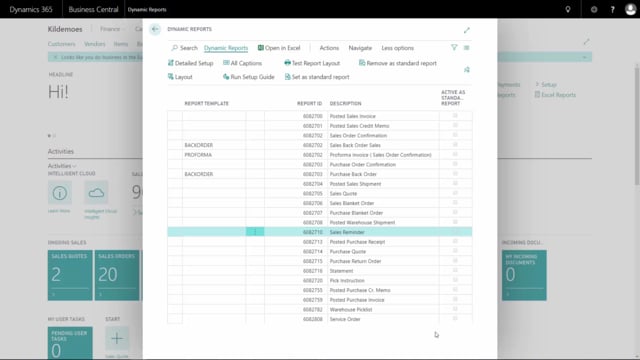


You can delete the entire setup of Dynamics Reports if you want to start over from scratch. The action is permanent, so you cannot retrieve the setup once it is deleted. You perform both the delete and the regenerate actions from the Layouts page under Actions.
Deleting the Dynamics Reports setup
If you want a clean slate, you can remove the whole setup in one go. Go to Layouts, and under Actions you will find the Delete Setup button.
When you click it, you are asked to confirm that you really want to delete all the setup. You then have to confirm a second time, because this removes your entire setup and it is not possible to retrieve it afterwards. Once you confirm, the whole setup is deleted.
Generating a new setup from scratch
After deleting, you can generate a new setup from the same place. Go to Layouts, then Actions, and choose Generate Setup. This gives you the standard setup again, so you can build up from a fresh starting point.
Q&A
Where do I delete the setup for Dynamics Reports?
Go to the Layouts page and choose Delete Setup under Actions.
Can I recover the setup after deleting it?
No. The delete action is permanent, which is why you have to confirm it twice. Once deleted, the setup cannot be retrieved.
How do I create a new setup after deleting the old one?
From the Layouts page, go to Actions and choose Generate Setup. This creates the standard setup again.