
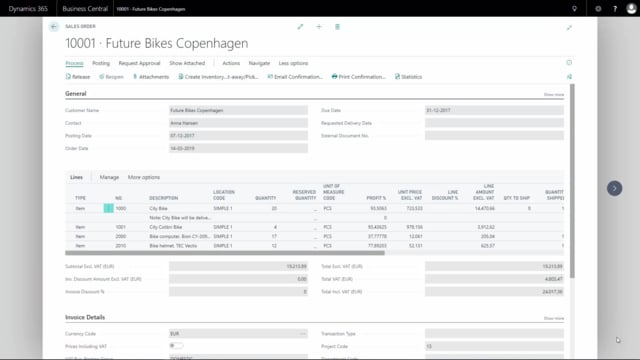


In Microsoft Dynamics 365 Business Central, you can print a document from a sales order that shows only the lines with outstanding quantities. This is useful when part of an order has already shipped and you want to see what is left to deliver.
To do this, you use the report template called Backorder when printing the order confirmation. The resulting document carries the title Sales Backorder and lists only the lines that still have quantities waiting to be shipped.
Printing a backorder document from a sales order
Imagine you have a sales order with several lines, and one of them still has eight bikes left to ship. Instead of printing the full confirmation with every line, you can produce a document that focuses only on the outstanding quantities.
From the sales order, choose to print the confirmation. When you select the report template, pick Backorder and press Preview.
What the backorder document shows
The document is titled Sales Backorder. It displays only the lines that have outstanding quantities. In this example, that means a single line for the city bike with an outstanding quantity of 8. All lines that have already been fully shipped are left out.
Why this is useful
When you are dealing with partially shipped orders, a standard confirmation can be cluttered with lines that are already done. The backorder document gives you and your customer a clear overview of exactly what remains to be delivered, which makes follow-up on outstanding deliveries much simpler.
Q&A
How do I print only the outstanding lines from a sales order in Business Central?
Open the sales order, choose to print the confirmation, select the report template called Backorder, and press Preview. The document will show only the lines with outstanding quantities.
What is the Sales Backorder document in Business Central?
It is a document generated from the Backorder report template. It carries the title Sales Backorder and lists only the sales order lines that still have quantities left to be shipped, excluding lines that have already been fully delivered.
Which report template should I use to see remaining quantities on a sales order?
Use the report template named Backorder when printing the order confirmation. It filters the document down to only the lines with outstanding quantities.