
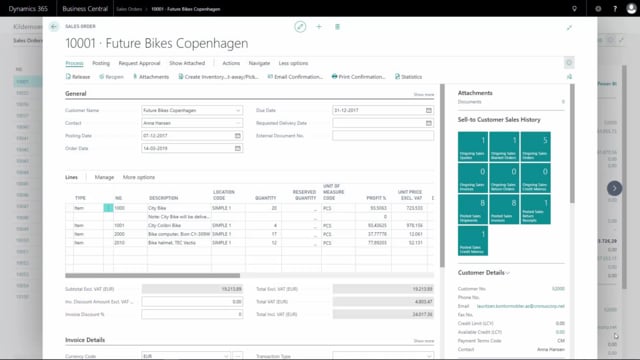


In Microsoft Dynamics 365 Business Central you can print a proforma invoice directly from a sales order. A proforma invoice is a preliminary document you send to a customer before the actual invoice. It is not a posting document, so printing it does not affect your finances or inventory.
To print one, open the sales order, use the print confirmation action and select the proforma invoice report template. The printed document shows the heading “Proforma Invoice” so the customer can clearly see it is a preliminary document and not the final invoice.
Printing a proforma invoice from a sales order in Business Central
A proforma invoice is useful when you need to give a customer a formal price overview before you confirm or post the order. It includes the same line details as the final invoice but carries no accounting impact.
The steps are straightforward:
- Open the relevant sales order.
- Choose the print action and select the confirmation or proforma option.
- Pick the proforma invoice report template.
- Use print preview to check the document before sending it.
Once printed, the document displays the heading “Proforma Invoice” at the top, making it clear to the recipient that this is a preliminary document.
Q&A
What is a proforma invoice in Business Central?
It is a preliminary invoice you can print from a sales order to show the customer the order details before the actual invoice is posted. It has no accounting or inventory impact.
How do you print a proforma invoice from a sales order?
Open the sales order, choose the print action, select the proforma invoice report template and use print preview to review the document before sending it.
How can the customer tell it is a proforma invoice?
The printed document shows the heading “Proforma Invoice” at the top, so it is clearly distinguished from the final invoice.