


Reminders with interest are issued the same way as normal reminders in Business Central. The difference lies in how the reminder terms code is set up. When a reminder term is configured to calculate interest, the interest is added automatically when you issue the reminder, and it is posted to the customer ledger entries as a separate entry.
You set up interest calculation on the reminder terms code. Once that is in place, you can run a test report before issuing the reminder to see the interest line that will be added. You can then issue the reminder, choosing whether to just issue it, print it, or email it. After issuing, you can verify the interest by looking at the customer’s ledger entries, where the posted interest appears.
How interest is set up on the reminder terms code
Interest is configured on the reminder terms code, not on the individual reminder. When a customer is assigned a reminder term that calculates interest, Business Central handles the calculation and posting of interest automatically based on that setup.
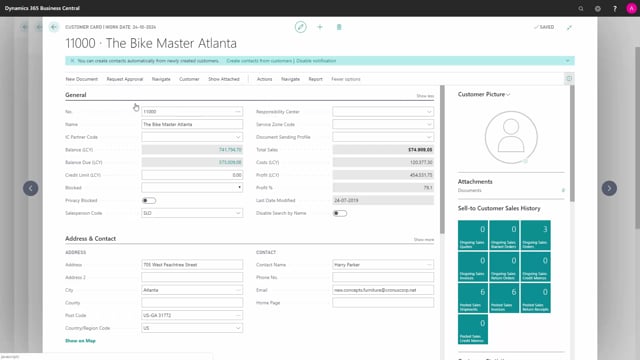
If you open a customer that uses such a reminder term and scroll down to the lines, you can see that a customer ledger entry of the type “Reminder” has been added. This is the entry the interest calculation builds on.
Reviewing the reminder before you issue it
Before you issue the reminder, run a test report. The test report shows the extra line that has been added for the interest, so you can confirm the amount and content before anything is posted.
Issuing the reminder with interest
When you issue the reminder, you choose how to handle it. You can just issue it, print it, or email it. You can also replace the posting date if needed, and you can hide the email dialogue when you send the reminder by email.
Verifying the posted interest in the customer ledger entries
After you issue the reminder, go to the customer and open their customer ledger entries. Here you can see that the interest from the reminder has been posted. This gives you a clear record that both the reminder and its interest have been registered on the customer’s account.
Q&A
Where do you set up interest on reminders in Business Central?
You set up interest on the reminder terms code. When a customer is assigned a reminder term configured to calculate interest, Business Central calculates and posts the interest automatically when you issue the reminder.
How can you check the interest before issuing a reminder?
Run a test report before you issue the reminder. The test report shows the extra interest line that will be added, so you can review it before anything is posted.
What options do you have when issuing a reminder with interest?
You can choose to just issue the reminder, print it, or email it. You can also replace the posting date, and you can hide the email dialogue when sending the reminder by email.
How do you confirm that the interest has been posted?
Go to the customer and open their customer ledger entries. There you can see that the interest from the reminder has been posted to the customer’s account.