



How to create purchase orders for subcontractors through a journal in Business Central?
You cannot create a subcontracting purchase order manually in Business Central. You have to generate it through a production order, because the purchase order needs to be tied directly to that production order. The way to do this is to release the production order and then run the subcontracting worksheet, which is typically a manufacturing or planning task. Because of this, purchasers and production staff need to coordinate on who runs the subcontracting worksheet, so the costs end up correctly in Business Central.
Why you cannot create a subcontracting purchase order manually in Business Central
Subcontracting in Business Central covers situations where an external supplier carries out an operation in your production process, for example a painting operation. To handle the cost correctly, the purchase order for that operation has to be linked directly to a specific production order.
That link is the reason you cannot just create the purchase order by hand. The purchase line carries information that ties it to the production order, including the production order number and the routing number. If you look at a subcontracting purchase order, you will find these fields on the purchase line, although some of the columns may be hidden by default. You can show the columns to see the production order number, the routing number, and the rest of the operation details.
How to create a subcontracting purchase order through the subcontracting worksheet
The correct way to create a subcontracting purchase order is to work from a released production order and then run the subcontracting worksheet. The worksheet picks up the subcontracted operations on the released production orders and generates the matching purchase orders for you.
This is normally a manufacturing or planning task rather than something a purchaser does in isolation. The worksheet is what creates the hard link between the purchase order and the production order, and it makes sure the cost of the external operation flows back into Business Central correctly.
Coordination between purchasing and production
Because the purchase orders come out of the subcontracting worksheet, it matters who actually runs it. If you work as a purchaser and you are the one handling these orders, you need to agree with your production or planning people on who is responsible for running the subcontracting worksheet.
Without that agreement you risk either missing purchase orders or creating confusion about ownership of the process. Getting it clear up front keeps the costs landing in the right place and keeps the production and purchasing sides aligned.
Q&A
Can you create a subcontracting purchase order manually in Business Central?
No. A subcontracting purchase order cannot be created manually. It has to be generated through a production order so it stays tied directly to that production order.
How do you create a subcontracting purchase order in Business Central?
You release the production order and then run the subcontracting worksheet. The worksheet creates the purchase orders for the subcontracted operations and links them to the production order.
What information does a subcontracting purchase line contain?
The purchase line carries details that link it to the production order, including the production order number and the routing number. Some of these columns may be hidden by default, but you can show them to view the operation details.
Who should run the subcontracting worksheet?
It is normally a manufacturing or planning task. Purchasing and production staff should coordinate on who is responsible for running the worksheet, so the purchase orders get created and the costs end up correctly in Business Central.
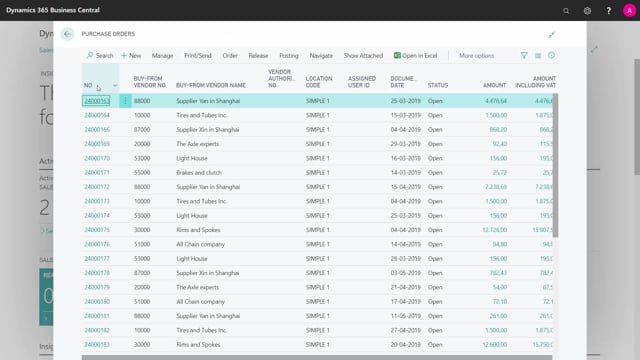
In this example, I have a Purchase Order It has information on the Purchase Line that it is a painting operation, and in the columns that are all hidden now, you could show the columns to see the Production Order Number, the Routing Number, etc.
But it’s not possible to create Purchase Orders for an operation, except if you have a Release Production Order and run the Subcontracting Worksheet.
That is normally a manufacturing job or a planning job.
If you as a Purchaser do this, you must coordinate with the manufacturing people in charge of running the Subcontracting Worksheet to create the Purchase Orders to get the cost correctly into Business Central.