
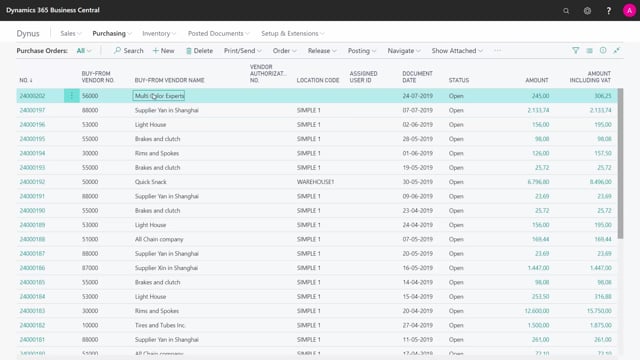



How to send orders to subcontractors from Business Central?
In Business Central, a subcontracting order is created as a purchase order with specific information on the purchase order line. When you send it, you handle it exactly like a normal purchase order. The only step that requires special attention is when you receive the goods back from your subcontractor.
You send the subcontracting order to your vendor the same way you send any other purchase order. Just print it and send it off.
The challenge is that the item number on the line, for example item 1000, is your finished item number. Your subcontractor most likely does not recognise this number, so you need to make clear what the order is actually about.
You also need to make sure your vendor understands that the order covers an operation he performs for you, not an item he sells to you.
How a subcontracting order is set up in Business Central
A subcontracting order in Business Central is technically a purchase order. The difference is the specific information added to the purchase order line, which tells the system that this is a subcontracting operation rather than a standard purchase.
In a practical example, you might have an order line for painting a bike. Even though the line shows item number 1000, which is your finished item number, that number does not mean anything to your subcontractor. You have to tell him what the work involves, in this case painting a bike.
What you are actually buying with a subcontracting order
On the surface, the purchase line looks like a normal purchase order. In reality, you are buying capacity, the subcontractor’s work on your item, rather than buying a physical product.
It is important that your vendor understands this distinction. The order represents an operation he performs for you, not an item number he supplies, such as a finished bike.
Where you need to pay attention in the process
Sending the subcontracting order is straightforward. Because it behaves like a normal purchase order, there are no special concerns at this stage. You simply send it off.
The point where you need to be careful is when you receive the goods back. Handling the receipt correctly is what separates a subcontracting order from a standard purchase, and that is the step where you have to know what you are doing.
Q&A
How is a subcontracting order created in Business Central?
It is created as a purchase order with specific information on the purchase order line. The line information tells Business Central that the order is a subcontracting operation rather than a standard purchase.
How do you send a subcontracting order to your vendor?
You send it the same way you send any normal purchase order. Print it and send it off. No special steps are needed at this point.
Why does the item number on the line cause confusion for the subcontractor?
The line shows your finished item number, for example item 1000, which your subcontractor usually does not recognise. You need to make clear what the operation involves so he understands the work being requested.
What are you actually buying with a subcontracting order?
You are buying capacity, meaning the subcontractor’s work on your item. You are not buying a physical product, even though the line looks like a normal purchase order.
Which step in the subcontracting process requires the most attention?
The receipt step. Sending the order is simple, but you have to know how to handle the goods correctly when you receive them back from the subcontractor.
You can send it just like a normal Purchase Order.
On this supplier, I made an Order Line.
Let’s see it.
It is the line with the painting job, and it’s item number 1000, which is the number of my finished item, which the subcontractor doesn’t know, so, we must tell them, what the job is all about.
I will just print and send this, as I do normally with Purchase Orders, and I must make sure that my vendor understands, that this is an operation and not an item number, like the bike.
The Purchase Line looks like a normal Purchase Order.
In real life, it is a capacity I buy, but it’s handled like a normal Purchase Order.
In this step in the process, we just send the order.
Only when we receive it, we must be aware on how to handle it.