
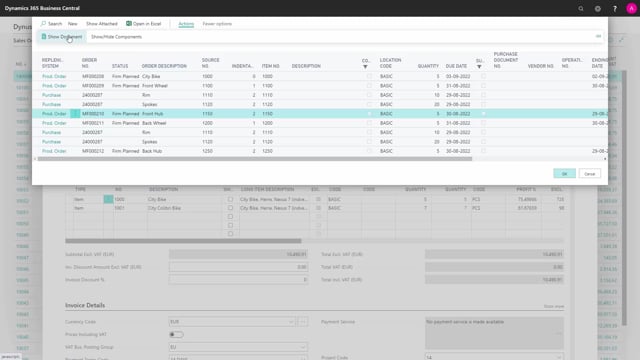


The sales configurator lets you capture customer-specific requirements on a sales order and carry that information automatically down through the production hierarchy. When a customer asks for a particular gear, a different color, or any other variation, you register it once on the sales order line and the system passes it on to the production order and the shop floor.
You control which pieces of customer-specific information get transferred. If you change a detail on the sales order after the production order is created, you can update the production order to match. You can also print the information so everyone involved sees the same requirements.
Transferring customer-specific information down the hierarchy
One of the main advantages of the sales configurator is the ability to move customer-specific information down through the hierarchy. When you insert an item on a sales order line, the item depends on the master data information. From there you can define customer-specific details, for example which gear the customer wants, another color, or any other variation they ask for.
You then decide which of those details should be transferred to the hierarchy. You collect all the customer-specific information, and when you create the hierarchy, that information flows down through it.
From sales order to production order and the shop floor
Once the information is in the hierarchy, you can see it in the production documents. It can be moved into the production order line and out to the shop floor environment, where the master data is transferred. This means the people on the floor have the customer’s requirements in front of them.
You can also print the information so everyone can see the requirements clearly.
Keeping the production order in sync with the sales order
If a requirement changes on the sales order, you can update it on the production order. The customer tells the sales people what they want, the sales people transfer that information to the production order, and it gets printed so everybody works from the same set of requirements.
Q&A
What does the sales configurator transfer down the hierarchy?
It transfers customer-specific information you define on the sales order line, such as a specific gear, a different color, or other variations the customer requests. You choose which of those details get passed on.
Can I change a requirement after the production order is created?
Yes. If you change a detail on the sales order, you can update it on the production order so the two stay in sync.
How do people on the shop floor see the customer’s requirements?
The information is moved to the production order line and out to the shop floor environment. You can also print it so everyone can see the requirements.