
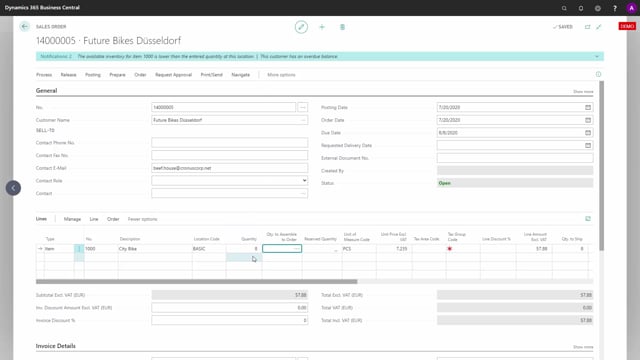


The graphical inventory profile in Microsoft Dynamics 365 Business Central lets you view the inventory development for one or more items at the same time. You enter one or more item numbers in the filter, and the system shows the combined profile so you can see how stock levels look over time.
This is useful when you get an availability warning on a sales line. You can open the profile for the item that triggered the warning, see where you run into negative inventory, and then check whether a substitute item can cover the order instead.
You add several item numbers to the filter to compare or combine their profiles. This shows you whether two similar items together hold enough stock to deliver to the customer now.
Viewing a single item profile after an availability warning
When you enter a sales line, for example a quantity of eight, Business Central can give you a warning that availability is a problem. From there you can open the graphical inventory profile for that item to see exactly what goes wrong.
In the profile you can see periods where the item goes negative. That tells you the inventory will not cover the demand at the time you need it.
Using item substitution to fulfil the order
If you have items that are very much alike, it may be fine for the customer to receive another item, as long as you can deliver it now. The difference between the two items might only be the wrapping or the text in the user manual, depending on how your products are built.
You can enter the other item number to view its profile. In this example the substitute item shows seven in stock, but on its own that might not be enough to cover the order.
Comparing and combining multiple items in one profile
You can view both items at the same time by entering more than one item number in the filter. This shows the combined profile, so you can see whether the two items together give you enough stock.
In the example, the combined profile shows the inventory drops to a minimum of one. That means substituting or mixing the two items lets you deliver the order. You can add as many items as you want to the filter and see the profile for all of them together.
Q&A
What does the graphical inventory profile show in Business Central?
It shows the inventory development for one or more items over time. You can view a single item or several items together to see how stock levels change and where you run into negative inventory.
How do I check availability when I get a warning on a sales line?
Open the graphical inventory profile for the item on the sales line. You can see the periods where inventory goes negative, which tells you the stock will not cover the demand at the time you need it.
How do I compare two items in the inventory profile?
Enter more than one item number in the filter. Business Central then shows the combined profile for those items, so you can see whether two similar items together hold enough stock to fulfil an order.
When is item substitution useful?
Item substitution helps when you have items that are very much alike and the customer accepts another item to get the order delivered now. The difference between the items might only be the wrapping or the user manual text.