


When you work with column templates in Business Central, you have several ways to create and reuse them. You can build a new column template from scratch or copy an existing one to save time. This article walks through both methods so you can set up the column templates you need for your documents.
Adding a new column template in Business Central
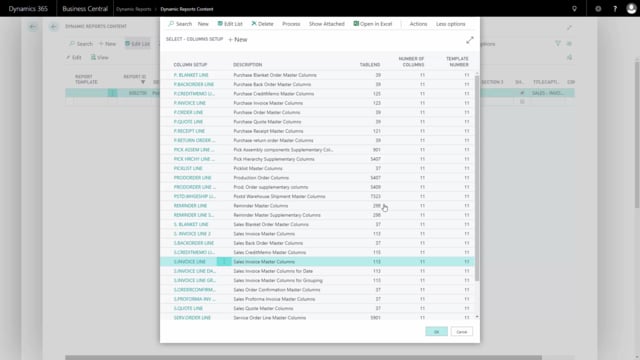
To add a new column template, go into Detail Setup, locate Columns, and select From Full List. From here you can create a column template by pressing New and entering the details you want.
Copying an existing column setup to a new template
Instead of starting from scratch, you can make a copy of a column setup that has already been created. This is useful when you want a new template that is similar to one you already have.
To copy a setup, go to Actions and choose Copy to New. Type a new template code and press Yes to confirm. The new template is created based on the original setup.
Using the column setup template on your document
Once the template is in place, you can use the column setup template for your document. The same template can be reused across multiple documents, so you only have to set up the columns once.
Q&A
How do I add a new column template in Business Central?
Go into Detail Setup, locate Columns, and select From Full List. Then press New to create the template.
Can I copy an existing column setup instead of creating a new one?
Yes. Go to Actions, choose Copy to New, type a new template code, and press Yes. This creates a new template based on the existing setup.
Where do I use the column setup template once it is created?
You can apply the column setup template directly to your document, and you can reuse the same template across multiple documents.