
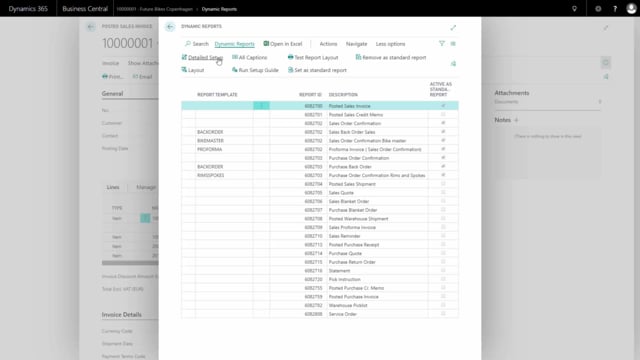


When you print a sales document in Business Central, you sometimes end up with column headings for data that isn’t there. A typical example is the line discount percentage column. If none of the lines have a discount, you still see the heading even though the column is empty. With Dynamics Report you can hide that heading automatically when the column has no values.
Hiding empty column headings on documents
On a sales document you can see the heading for line discount percentage being shown, even though there are no line discounts on any of the lines. In that situation you don’t want the heading to appear either. It just adds noise to the document.
Configuring the column setup in Dynamics Report
In Dynamics Report you go to Detail Setup and open the column setup. Find the setup for the specific column you want to control. In this example, it is column setup 7 for the line discount percentage.
On that column, mark the option Blank caption if no value. Once that is set, the document no longer shows the heading when the column contains no values.
Q&A
How do I hide a column heading when the column has no values in Dynamics Report?
Go to Detail Setup, open the column setup, find the specific column, and mark the option Blank caption if no value. The heading then disappears when the column is empty.
Why does my document show a heading for a column with no data?
By default, the column heading prints even when none of the lines contain a value, such as a line discount percentage. You need to enable Blank caption if no value on that column to suppress the heading.