
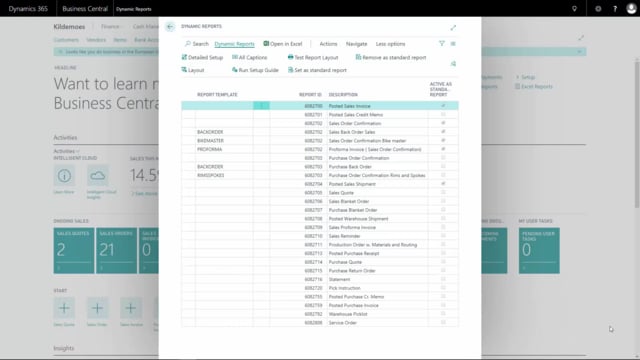


I need more context here, but let me work with what’s provided. The transcription is very short and appears to be about Dynamics business solutions reporting functionality.
In Business Central, you can add a caption to a line in a dynamic report without writing any code. This is done through the report’s column setup, where you mark the relevant field and enable the option to add the caption to the line. Once enabled, the field’s description prints in front of the value on the line when you generate the document.
Adding a caption to a line in a dynamic report
When you work with dynamic reports, you can control how individual columns behave directly from the report setup. If you want a field’s caption to appear on the printed line, you start by opening the detailed column setup for the report.
From there, you identify the specific column you want to adjust. Once you have located it, you mark the field so that you can change its behaviour.
The next step is to enable the Add caption to line option for that field. This is a simple checkmark in the setup.
How the caption appears on the printed document
After you have marked the field and checked the option, the change takes effect when you print the document. The field’s description is added on the line, placed in front of the value. This gives you a clearer line on the output without any custom development.
Q&A
How do you add a description to a line in a dynamic report?
Open the detailed column setup for the report, identify the column you want to change, mark the field, and check the Add caption to line option. When you print the document, the description appears on the line in front of the value.
Where does the caption appear on the printed line?
The caption, which comes from the field’s description, is printed in front of the value on the line.