
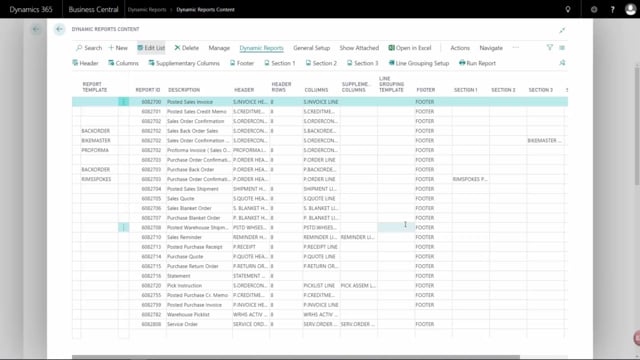


Documents with two column sections in Business Central
Some documents in Business Central are built with two separate sections of columns rather than just one. This applies to documents such as the sales reminder, the payment instruction, and service orders. Because these documents have an extra layer of information to display, they include a set of supplementary columns in addition to the standard columns.
How supplementary columns work
The supplementary columns behave exactly like the regular columns. When you choose a template in the supplementary columns, it works the same way as choosing a template in the ordinary columns. There is no separate logic to learn. If you already know how to set up columns, you know how to set up supplementary columns.
Setting up columns
The setup process for columns is the same across these documents. Once you understand how to configure the standard columns, the same approach applies to the supplementary columns on documents like the sales reminder, payment instruction, and service orders.