
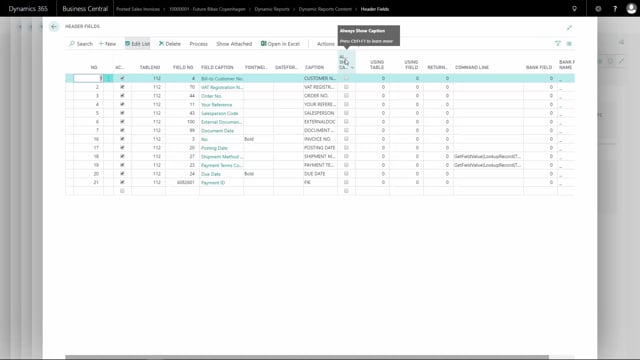


By default, a dynamic report only displays headings for header content that actually contains data. If a field is empty, both the value and its caption are hidden. You can change this behaviour for individual fields so the caption always appears, even when the field has no value.
This is useful when you want a consistent layout on printed documents, where certain labels should always be visible regardless of whether they have been filled out.
How to always show a caption on an empty field in a dynamic report
To force a heading to appear even when the field is empty, mark the option Always show caption on the value you want to display. For example, you can apply this to the Your Reference field.
Once this setting is enabled, the heading for Your Reference appears when you print the document, even though there is no value in the actual field.
Q&A
Why is an empty field’s heading not shown in a dynamic report by default?
By default, a dynamic report only shows headings for header content that is actually filled out. If the field has no value, the caption is hidden along with it.
How do you make a caption appear on a field that has no value?
Mark the option Always show caption on the value you want to display, for example the Your Reference field. The heading will then appear on the printed document even when the field is empty.