
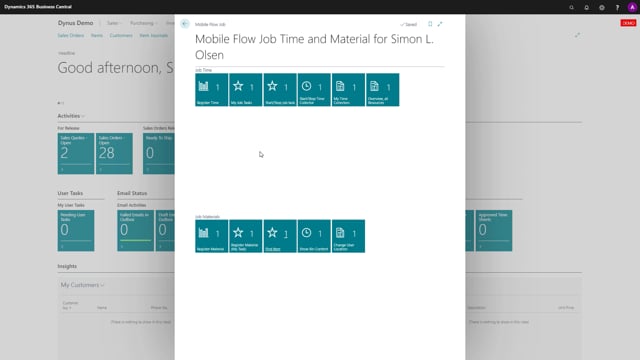


If you work with bins in your warehouse and use the materials functionality, there is a small flow called Show Bin Content that gives you quick access to your bin content directly. This article explains what the flow does and how you can use it in your daily warehouse work.
You enter a bin number, and the flow displays the bin content list for that specific bin. It uses the standard logic from the bin content list in the system, so there is nothing new to learn about how the data behaves.
The flow is useful in a couple of everyday situations. You can use it when you are counting inventory, whether you are working in a small inventory or a big one. You can also use it simply to figure out what is currently stored on a specific bin.
How the Show Bin Content flow works
The Show Bin Content flow is a simple warehouse flow. You type in a bin number, and it returns the bin content list. Because it builds on the standard bin content list logic already in the system, the results match what you would expect from your normal warehouse setup.
When to use the flow
There are two main scenarios where the flow is handy:
- Counting inventory, regardless of whether your inventory is small or large.
- Checking what is currently on a specific bin.
Q&A
What does the Show Bin Content flow do?
It lets you enter a bin number and then displays the bin content list for that bin, using the standard bin content list logic in the system.
When should I use the Show Bin Content flow?
Use it when you are counting inventory, in either a small or large warehouse, or when you want to see what is currently stored on a specific bin.
Do I need bins to use this flow?
Yes. The flow is built around bins, so you enter a bin number to display the content of that bin.