
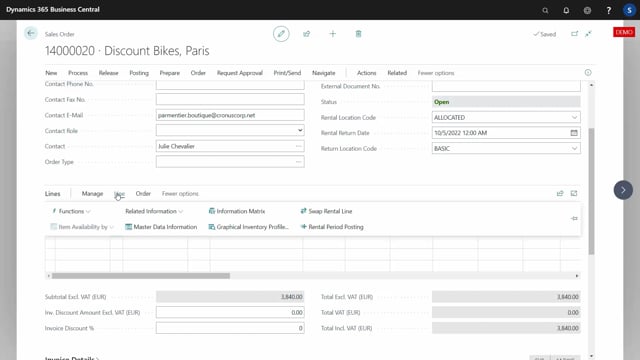


When you handle rental items in Business Central, you can use standard inventory and warehouse functionality instead of inventing a separate process. By converting the sales order line to a transfer-based line, you can invoice the same rental item again and again using a resource, while the physical movement of the item runs through standard transfer orders.
Because the rental item moves through transfer orders, your warehouse staff treat it exactly like any other item. They create inventory picks, register shipments, and follow the same handling steps. There is no need to distinguish between a normal sales item and a rental item.
The free Graphical Inventory Profile app lets you see where rental items are at any time. You can view the inventory profile on the basic location, on the allocated location at the customer, and the inbound transfer that brings the item back.
How rental items are handled through transfer orders
The core idea is to change the sales order line into a transfer-based line with a relation. This lets the sales order line be invoiced again and again with a resource, so you can keep billing the rental over time. You do not handle inventory directly from that sales order line. Instead, the physical movement runs on the transfer order, where you can use standard functionality.
In a typical scenario, you have one transfer moving the item from the basic location out to the customer for whatever period applies. The transfer has an expected shipment date, so you treat it as a standard document. If you use warehouse locations, you can create inventory picks and shipments and handle everything the same way you handle all other items.
This means your inventory people do not have to distinguish whether they are dealing with a normal sales item or a rental item. The handling is the same.
Tracking rental items with the Graphical Inventory Profile app
The Graphical Inventory Profile app is a free app for displaying inventory, and it shows the transfer as part of the inventory profile. When the rental item sits on the basic location, you see it in the inventory profile for that location.
If you open the outbound transfer, which moves the item from the basic location to the allocated location, and look at the inventory profile there, you see everything that is out of the house. That view shows the transfer coming in, meaning the item is being shipped to the customer on the allocated location, and it shows another transfer somewhere that will bring the item back.
This setup lets you use the standard warehouse and inventory functionality for all the handling, while keeping full visibility of where each rental item is in its cycle.
Q&A
Why change the sales order line to a transfer-based line for rentals?
So the sales order line can be invoiced again and again with a resource. This lets you keep billing the rental over time, while the physical movement of the item is handled separately on transfer orders.
How do warehouse staff handle rental items?
Exactly like any other item. They create inventory picks, register shipments, and follow standard steps. They do not need to distinguish between a normal sales item and a rental item.
How can you see where a rental item is?
Use the Graphical Inventory Profile app, which is free and displays inventory. It shows the rental item on the basic location, on the allocated location at the customer, and the inbound transfer that brings it back.