
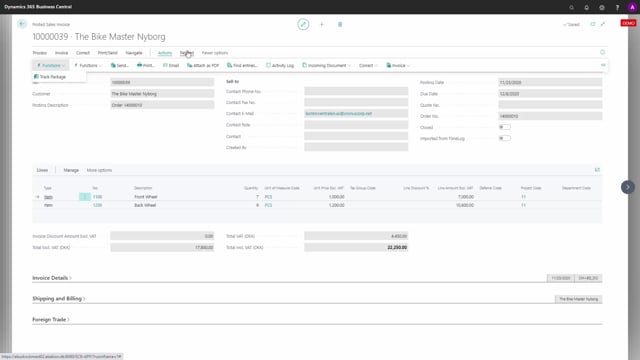


When you ship and invoice goods through a container in Business Central, you can use item charges to add freight, customs, insurance and other container-related costs to the items after you have posted the sales invoice. This lets you adjust the actual profit on each container instead of relying only on the original sales price and item cost.
You apply these costs as purchase charges, which raise the cost side, or as sales charges, which raise the revenue side. Both flow back into the posted sales invoices linked to the container and update the adjusted profit.
In the example shown, a container has three sales shipments and matching posted sales invoices. The original profit on the last invoice is 12,000, and the adjusted profit stays at 12,000 until container costs are posted against it.
Why use item charges for sales containers
A sales container in Business Central can hold several sales orders that all relate to the same physical shipment. In the example, one container has three sales orders posted to it, creating three sales shipments (numbers 40, 41 and 42). All three relate to that specific container, and each has been invoiced through a posted sales invoice.
When you open one of the posted sales invoices and look at its statistics, you see a profit based on the sales amount and the cost of the items. In this scenario the last invoice shows an original profit of 12,000 and an adjusted profit of 12,000. The two numbers are identical because no extra costs have been added yet.
Adding container costs with purchase charges and sales charges
Most container shipments come with costs that arrive later, such as freight, customs and insurance. These costs are not known when you ship and invoice the goods, but they still belong to the container.
You handle this with item charges. On the purchase side, you post these costs as purchase charges and split them across the items in the container. The cost is then distributed onto the relevant items on the sales invoices, which lowers the profit so it reflects the real margin on the container.
You can do the same on the sales side. If you are selling charges to your customer, you post sales charges, which increase the revenue and therefore raise the adjusted profit on the container.
How this affects the adjusted profit
The original profit on a posted sales invoice is fixed at the moment of posting. The adjusted profit is the number that changes when you apply container costs or charges afterwards. By posting purchase charges and sales charges against the container, you update the adjusted profit on the invoices linked to that container, giving you a true picture of how each container performed.
Q&A
What are item charges used for on sales containers?
Item charges let you add container-related costs such as freight, customs and insurance to the items after you have posted the sales invoice. This adjusts the actual profit on the container instead of relying only on the original sales amount and item cost.
What is the difference between the original profit and the adjusted profit?
The original profit is fixed when you post the sales invoice and is based on the sales amount and item cost. The adjusted profit changes when you apply container costs or charges afterwards, so it reflects the real margin on the container.
What is the difference between purchase charges and sales charges?
Purchase charges add costs, such as freight and customs, which lower the adjusted profit. Sales charges add revenue when you sell charges to your customer, which raises the adjusted profit.
Can one container hold several sales orders?
Yes. A single container can contain several sales orders that all relate to the same shipment. In the example, one container has three sales orders, three sales shipments and three matching posted sales invoices.