


Item purchase prices in Business Central can be set up in two places. You can set them up directly on the item, or you can set them up from the vendor. Both approaches use the same underlying data, so you are free to work from whichever perspective suits you. When you create a purchase order, the system automatically finds the best price based on the parameters you have defined.
You can define purchase prices on several parameters at once. These include vendor number, item number, currency code, unit of measure, minimum quantity, and starting date. Because the system always picks the best matching price, you can keep old price lines as history without causing problems.
Setting up purchase prices from the item
To set up prices on an item, open the item and navigate to special purchase prices. Here you can set special prices for different vendors on the same item.
In the example with item number 1120 (a spoke), you can set up that buying from vendor 30000 with no currency code, in the unit of measure carton, costs 45 kroner per carton. The same item in pieces costs 1.8 kroner per piece.
For another vendor, number 8000, buying in euro with a minimum quantity of 100,000, the unit cost is 0.112 euro. This price has a starting date back in 2017. You can also see an upcoming price for the same quantities, starting from 1st of June.
This shows how flexible the setup is. You can create many lines that differ on vendor number, item number, currency code, unit of measure, minimum quantity, and starting dates.
Setting up purchase prices from the vendor
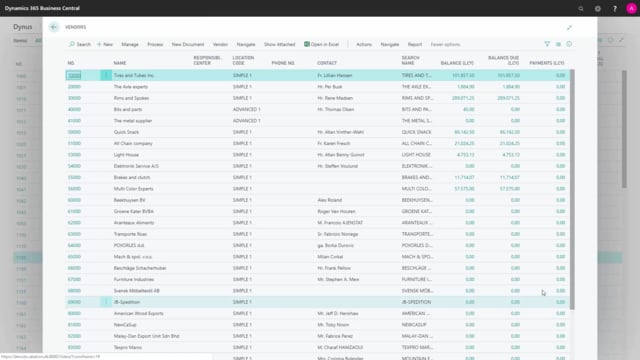
You can also work with the same prices from the vendor’s perspective. Open the vendor list, find the vendor, and navigate to purchases. On the vendor, the function is simply called prices.
If you open vendor 88000, you see item number 1120 with the same two lines you saw on the item. It is the same data viewed from another angle. If you change a line here, the change also applies on the item.
The difference is what else you see alongside it. From the vendor, you see other items purchased from that same vendor, rather than other vendors for the same item. This makes it easy to review everything you buy from one supplier in one place.
The same data from two perspectives
Whether you start from the item or from the vendor, you are looking at and editing the same data. Choose the perspective that matches the task at hand. If you want to compare vendors for a single item, work from the item. If you want to review all items from a single vendor, work from the vendor.
This covers specific purchase prices. You can also set up purchase discounts in Business Central, which works in a similar way.
Q&A
Where can you set up item purchase prices in Business Central?
You can set them up in two places. Either directly on the item under special purchase prices, or from the vendor under purchases, where the function is called prices.
Is item and vendor purchase price data the same?
Yes. It is the same data viewed from two perspectives. If you change a price line from the item, the change also applies from the vendor, and the other way around.
Which parameters can you use to define purchase prices?
You can differentiate prices by vendor number, item number, currency code, unit of measure, minimum quantity, and starting date.
How does Business Central choose which purchase price to apply?
When you create a purchase order, the system automatically finds the best price based on the parameters you have set up. This means you can keep old price lines as history without affecting new orders.
Can you set up future purchase prices in advance?
Yes. You can define a price with a starting date in the future. In the example, a new price for the same quantities starts from 1st of June while the existing price remains valid until then.