
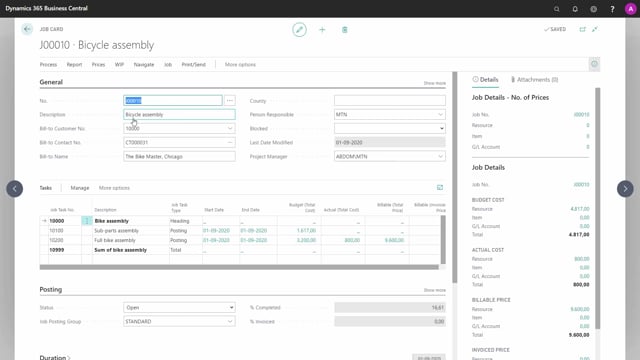


Sådan finder du job-oversigten i Business Central
Let me complete the task properly based on the transcription.
The job is the primary entity for project management in Business Central, and it sits at the top of the project hierarchy. You can think of a job as the main project that everything else hangs from.
You access your jobs from the role center by opening the list of jobs. This list works the same way as the lists you already know for customers, vendors, and items. It gives you the full overview of every job created in your system.
Drilling into a single job
When you click on a specific job in the list, you get a more detailed view. From there you can see the lower levels of the project hierarchy that belong to that job, so you can work your way down from the overall project into the individual parts.
Q&A
What is a job in Business Central?
A job is the primary entity used for project management in Business Central. It sits at the top of the project hierarchy and works as the main project that the lower levels of the hierarchy belong to.
How do you find the list of jobs in Business Central?
You open the list of jobs from your role center. The list functions the same way as the lists for customers, vendors, and items, and it shows every job created in your system.
How do you see the details of a specific job?
Click on a specific job in the list. You then get a more detailed overview that includes the lower levels of the project hierarchy belonging to that job.