
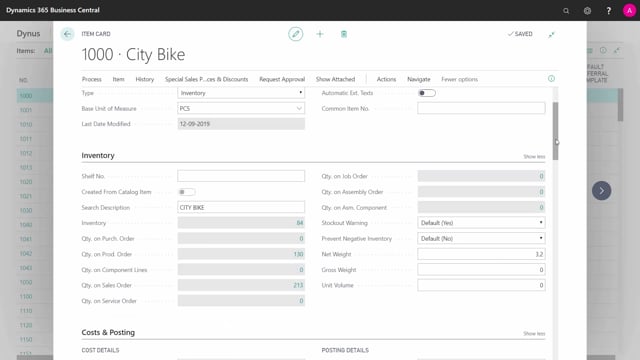


Business Central gives you four reordering policies on the planning tab of the item card: Order, Fixed Reorder Quantity, Lot-for-Lot, and Maximum Quantity. You choose the right one based on the characteristics of each individual item.
Use the Order policy for configurable items, made-to-order items, and one-time purchases where you only buy or produce the exact quantity on the demand. Use Fixed Reorder Quantity for predictable, high-running, or cheap items where building up inventory is acceptable. Use Lot-for-Lot for unpredictable, seasonal, or high-cost items where you bundle demand within periods. Use Maximum Quantity to keep inventory topped up to a defined level, which works well for shop shelves and warehouse replenishment.
Lot-for-Lot and Maximum Quantity often work best with a forecast or carefully set safety stock, especially when your sales lead time is shorter than your item lead time. You should set the reordering policy individually per item rather than applying one policy across your whole catalogue.
Choosing a reordering policy per item in Business Central
In a typical Business Central solution you have many different item numbers. Some are cheap, some are expensive, some have predictable demand, and some are heavily influenced by season. There is no single planning method that fits all of them, so you select a reordering policy on the planning tab that matches the behaviour of each item.
Business Central offers four reordering policies. Below is what each one does and when it makes sense.
Reordering policy Order: for configurable items and one-timers
The Order policy is the simplest to understand. It is normally used for configurable items, make-to-order items, or one-time purchases.
If you make an item specific to a sales order or a specific demand, and it needs to be configurable or unique, you produce or buy it in the exact quantity that is on the order. The same applies to a one-timer where you do not want to build up inventory. You only produce or buy the exact amount you are going to use in that specific case.
When you set the reordering policy to Order, every order that planning creates matches the exact quantity coming from the demand.
Reordering policy Fixed Reorder Quantity: the most common choice
Fixed Reorder Quantity is probably the most commonly used policy. It is meant for items with a predictable inventory draw, high runners, or cheap items where you do not mind building up a higher inventory.
This is the easiest way of planning. You set a reorder point and a reorder quantity, and you simply buy enough to keep stock available. A good everyday example is flour in your kitchen. You always buy flour, it is not expensive, and you are happy to keep a buffer on the shelf.
If the item is very predictable, meaning the withdrawal is stable and not driven by season, you can set up a reorder point that works well without needing a forecast. That holds true even when you do not have sales orders coming in with long lead times.
Reordering policy Lot-for-Lot: combine demand within periods
With Lot-for-Lot you combine orders within an interval. It is used when the item is not predictable, when the inventory draw is season-influenced, or when it is a high-cost item.
The idea is that you produce or buy for the specific demands you have, but you bundle them into periods. Without bundling, the order quantities would get too small to be practical. Lot-for-Lot solves that nicely.
There is one thing to watch. If your sales lead time is short, meaning you need to sell much faster than the item’s own lead time, you will normally need a forecast when running Lot-for-Lot, or you have to use safety stock fairly aggressively. If it is easy for you to build a good forecast, Lot-for-Lot is a very strong choice.
Reordering policy Maximum Quantity: keep stock topped up
With the Maximum Quantity policy you enter a maximum inventory level. This one is used rarely, but it fits specific situations well.
A good example is a shop where you want a specific quantity of each item on the shelf. Each time a customer buys one or two, you replenish that amount, possibly every day. If you have a point-of-sale solution that handles your inventory correctly, you can set up a safety stock and a maximum inventory level that are almost identical. Every night when you run the batch, you get a list of exactly what to replenish to fill the shelf back up to the level you want.
The same approach works for warehouses where you want to fill the inventory up to the maximum space available, or to specific limits that you define.
Match the policy to the item
These are the four reordering policies, and the key point is to set them up per item rather than applying one rule everywhere. Your most expensive items or high runners can use one policy, while your cheap, fast-moving, and predictable items use another. The right combination depends on each item’s cost, predictability, and demand pattern.
Q&A
What are the four reordering policies in Business Central?
Business Central offers four reordering policies on the item’s planning tab: Order, Fixed Reorder Quantity, Lot-for-Lot, and Maximum Quantity.
Which reordering policy should I use for made-to-order or one-time items?
Use the Order policy. It creates orders in the exact quantity from the demand and is meant for configurable items, made-to-order items, and one-time purchases where you do not want to build inventory.
What is the best reordering policy for cheap, predictable, high-running items?
Use Fixed Reorder Quantity. You set a reorder point and reorder quantity, and it is the easiest way to keep stock available when demand is stable and you do not mind holding a buffer.
When should I use Lot-for-Lot?
Use Lot-for-Lot for items that are unpredictable, seasonal, or high-cost. It bundles demand within periods so order quantities do not become too small. If your sales lead time is shorter than the item’s lead time, you will normally need a forecast or aggressive safety stock.
When is the Maximum Quantity policy useful?
Maximum Quantity is rarely used, but it fits shop shelves and warehouse replenishment. You set a maximum inventory level, and combined with a safety stock you can run a nightly batch that lists exactly what to replenish to fill stock back up to your defined level.
Should I use the same reordering policy for all items?
No. You should set the reordering policy per item based on its cost, predictability, and demand pattern. Expensive items or high runners may use one policy while cheap, fast-moving, predictable items use another.