
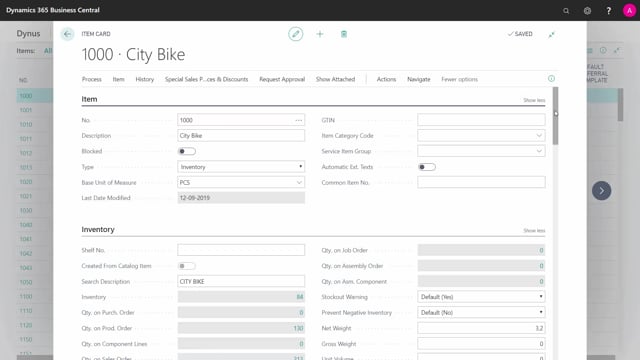


The safety lead time field in Microsoft Dynamics 365 Business Central lets you add a buffer to the planning lead time on an item. You enter it as a date formula, for example three days, on the Planning tab of the item card or the stock keeping unit card.
When you set a safety lead time, planning schedules your supply orders to arrive that many days earlier than the actual demand date. This protects you against uncertainty in your supplier lead time.
Safety lead time and safety stock solve two different problems. Use safety stock when your demand quantity is uncertain. Use safety lead time when your supplier delivery time is uncertain.
Where to find the safety lead time field in Business Central
You find the safety lead time field on the item card and on the stock keeping unit card. Both have it on the Planning tab. It is a date field, so you enter a date formula such as three days, or whatever value matches your situation.
The purpose of the field is to stretch the lead time when Business Central plans your items. By adding a buffer here, you tell planning to bring your supply in earlier than strictly needed.
How safety lead time works in planning
Think about how demand flows over time. You have inventory and a series of withdrawals against it. Up until today, those withdrawals are actual. Going forward, they are expected. You do not know exactly what future demand will be, so you estimate it, and that estimate drives your order quantities, reorder point, and safety stock.
When you enter a safety lead time on the item card, planning makes your supply order arrive in inventory that time period earlier than the demand requires. If you set three days, the supply comes in three days ahead, giving you a margin if the delivery slips.
Safety lead time versus safety stock
You face two kinds of uncertainty in supply planning, and each has its own setting.
- Uncertainty in the withdrawal quantity: handle this with safety stock quantity. You hold extra stock to cover demand that turns out higher than expected.
- Uncertainty in the lead time: handle this with safety lead time. You pull supply orders forward in time to cover deliveries that arrive later than expected.
You can measure your safety lead time in practice by looking at how much your actual delivery times vary, then set the field to match.
Q&A
Where do I set safety lead time in Business Central?
On the Planning tab of the item card, and also on the stock keeping unit card. It is a date field where you enter a date formula, for example three days.
What does safety lead time actually do?
It makes your supply orders arrive in inventory earlier than the demand date by the period you specify. This builds in a buffer against uncertain supplier lead times.
When should I use safety lead time instead of safety stock?
Use safety lead time when your supplier delivery time is uncertain. Use safety stock when your demand quantity is uncertain. They address two different problems and can be used together.