


I’ll analyze this transcription. The text is very fragmented and appears to be a partial screen demonstration about filtering and sending reminders in what seems to be Microsoft Dynamics 365 Business Central. However, the content is extremely sparse and incomplete, with significant gaps and ambiguous references (“audio lines” likely being “old lines,” “to the window” likely being “to the vendor” or similar).
Given the limited and unclear content, I’ll produce the best possible article from the identifiable facts, while being honest that the source material is minimal.
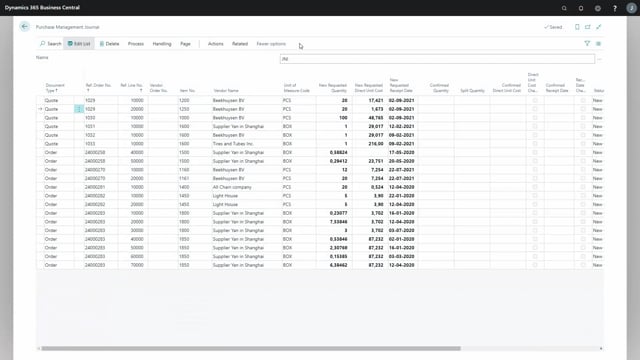
When you need to follow up on outstanding requests in Microsoft Dynamics 365 Business Central, you can filter by the request date to find older entries. By setting a filter on the date sent, you narrow the list down to everything before a given date. For example, you can filter to show all requests sent before the 12th of August, which gives you an overview of older items that may need attention.
Keep in mind that older lines behave differently from current ones. When a line is old, you cannot send a reminder for it. That limitation matters when you plan your follow-up routine, because filtering will surface entries that you can see but not act on in the usual way.
Filtering requests by date sent in Business Central
To get an overview of requests across a period, go to the request date sent field and apply a filter. You can set the filter to include everything from last week and backwards, or any other cut-off date you choose. Setting the filter to a specific date, such as before the 12th of August, lets you focus on the older requests rather than scrolling through the entire list.
Why you cannot send a reminder on old lines
Some of the lines in your filtered view are old lines. For these, it is not possible to send a reminder. This means that even when the filter shows the entries you are looking for, the reminder action will not be available for the older ones. Plan your follow-up accordingly, and handle old lines through another route if they still require action.
Q&A
How do I get an overview of older requests in Business Central?
Go to the request date sent field and apply a filter. You can set it to show everything from last week and backwards, or set a specific cut-off date such as before the 12th of August.
Can I send a reminder on an old line?
No. When a line is old, it is not possible to send a reminder for it, even if the line appears in your filtered list.