
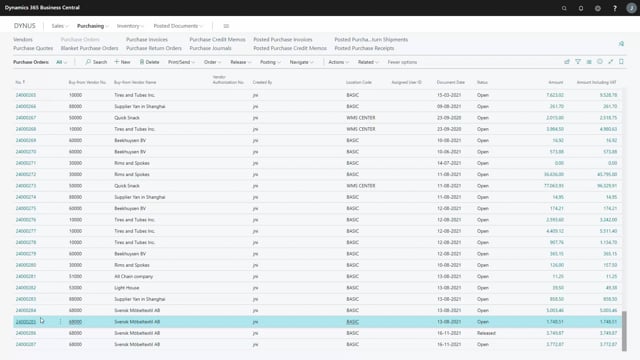


In the purchase management journal in Business Central, you can release a purchase order directly without leaving the journal. This is useful in companies where orders must be released before they are sent to the vendor. You find the option by selecting the order line, then going to Related and Handling, and choosing Release. After releasing, the order status changes from Open to Released in your purchase order list.
Releasing a purchase order directly from the purchase management journal
In the purchase management journal you can release an order directly. This is relevant if you work in a company where orders need to be released before they are sent to the vendor.
The advantage is that you don’t have to leave the journal and open the order itself to change its status. The action sits right where you are already working.
How the order status changes from Open to Released
Before releasing, you can check the status in your order list. In this example, the order ending on 2805 shows a status of Open.
To release it, go back to the purchase management journal and select the relevant order line. From there, open Related and then Handling, and choose Release for the purchase order.
When you return to the purchase order list, you can see that the order now has the status Released.
Q&A
Can you release a purchase order without opening the order itself?
Yes. In the purchase management journal you can release the order directly by selecting the order line and choosing Release under Related and Handling.
Where do you find the option to release a purchase order in the journal?
Select the order line, then go to Related, then Handling, and choose Release the purchase order.
How can you tell that a purchase order has been released?
Check the purchase order list. After releasing, the order status changes from Open to Released.