
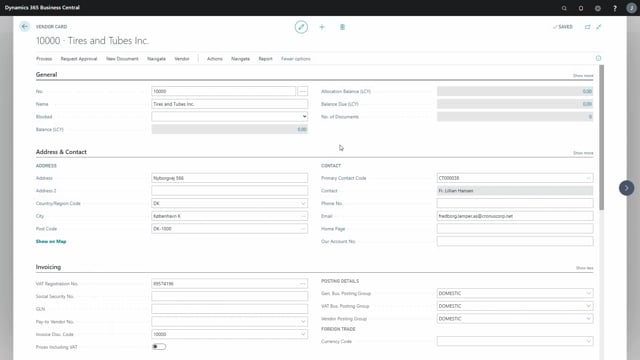


In Microsoft Dynamics 365 Business Central, you can set up transport methods on your vendors to make your purchase order lead times more realistic. You define a transport method such as air or sea, add the transport time from the vendor to your location, and add the inbound warehouse handling time for each method. This lets the system calculate when goods will actually be ready to use.
You set the default transport method on the vendor, for example sea freight if that is what you use most often. The system then combines the vendor’s internal handling time (entered in the lead time calculation field) with the transport time for the chosen method.
If you work with locations, you must have a blank location code on the transport method setup, and you can also assign transport methods to individual locations.
Set the agreement date field to Expected Shipment Date so the calculation runs from the moment you place the order through to the goods arriving on your ramp.
Setting up transport methods on the vendor in Business Central
In purchase order management you can set a transport method on your vendor. Go to the receiving section on the vendor card and select the transport method.
If a vendor has no transport method yet, you add one. A transport method could be by air or by sea. For each method you then add the transport time from the vendor to your location, and the inbound warehouse handling time.
For air freight, the transport time might be two days, with an inbound warehouse handling time of one day. For sea freight, the transport time could be three months, with a handling time of three days. The longer handling time for sea makes sense because the goods normally arrive in a container, which takes longer to unload and process.
Selecting the default transport method
Once you have set up your transport methods, you select which one is most commonly used for the vendor. In this example, the goods usually come by sea, so sea freight is set as the default.
Using the lead time calculation field for vendor handling time
Next you look at the lead time calculation field, which is a standard field in Business Central. Normally the lead time calculation covers the full time from when you place your order with the vendor until the goods arrive on your ramp.
When you work with transport methods, you use the lead time calculation field differently. Here it represents the internal handling time at the vendor. For example, you might set this to seven days for the time the vendor needs to prepare the order.
Setting the agreement date to expected shipment date
On the agreement date field, you choose Expected Shipment Date. This tells the system how to build the calculation.
The calculation then adds the vendor’s handling time of seven days plus the transport time for the chosen method, for example the time spent at sea. The result tells you when you can expect the shipment to be on your ramp and ready to use.
Locations and transport methods
Be aware that if you use locations, you need a blank location code on the transport method setup. You can also add transport methods directly to your locations, so each location can have its own transport setup.
Q&A
Where do you set up a transport method on a vendor in Business Central?
You set it up in the purchase order management, in the receiving section on the vendor card, where you select the transport method.
What information do you add to a transport method?
You add the transport time from the vendor to your location and the inbound warehouse handling time. For example, air freight might be two days transport plus one day handling, while sea freight might be three months transport plus three days handling.
How is the lead time calculation field used with transport methods?
Instead of representing the full order-to-ramp time, the lead time calculation field is used for the vendor’s internal handling time, for example seven days.
What should the agreement date field be set to?
Set it to Expected Shipment Date. The system then calculates the vendor’s handling time plus the transport time for the selected method to tell you when the shipment will be on your ramp and ready to use.
What do you need to do if you use locations?
You need a blank location code on the transport method setup, and you can also assign transport methods to your individual locations.