


Purchase Order Management Through the Vendor Portal in Business Central
If you work with vendors who need to handle purchase order requests, the Vendor Portal in Business Central gives them a direct way to do it. It is worth being clear about what the portal is and what it is not, because that shapes how you set it up and what you can expect from it.
The Vendor Portal is a portal that lives inside Business Central. It is not an integration to external systems sitting around Business Central. Everything happens within the same environment, which keeps the setup simple and avoids the overhead of maintaining a separate integration.
What a Vendor Needs to Get Access
To give a vendor access to the portal, all you need is a Team Member license. There is no requirement for a full Business Central license on the vendor side. The Team Member license, combined with the dedicated Role Center, is what opens the door for the vendor.
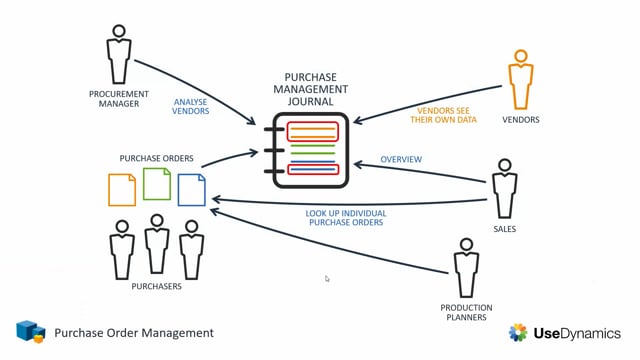
The Role Center is deliberately limited. It gives the vendor access to only one view, which shows the outstanding requests on the purchase orders relevant to that particular vendor. The vendor sees what they need to act on and nothing else.
Q&A
Is the Vendor Portal an integration to external systems?
No. The Vendor Portal is a portal within Business Central. There is no integration to other systems around Business Central. Everything runs inside the same environment.
What license does a vendor need to use the Vendor Portal?
A vendor needs a Team Member license. Together with the dedicated Role Center, this gives the vendor access to the portal.
What can a vendor see in the Vendor Portal?
The Role Center gives the vendor access to only one view, which shows the outstanding requests on the purchase orders relevant to that specific vendor.