


Exporting filtered data from Business Central to Excel is straightforward once you know which option to use. This article shows you how to keep your filters intact when you move data into Excel.
Export filtered data from Business Central to Excel
When you work with a filtered list in Business Central, you often want to take exactly that filtered selection into Excel rather than the full dataset. The good news is that Business Central respects your filters when you export.
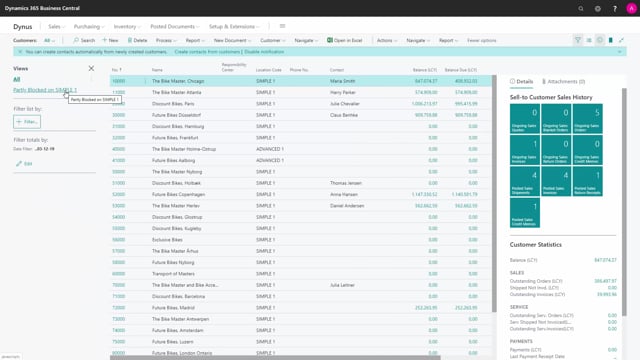
Start by going to your customer list, where you have set up a custom filter. In this example, the filter is built on a simple condition that narrows the list down to a specific set of customers. When you choose Open in Excel, Excel opens with only the filtered view. You get exactly the records that match your filter, not the entire customer list.
The same applies to Edit in Excel
You get the same behaviour if you use Edit in Excel instead of Open in Excel. The filter you have applied in Business Central carries over, so you are working with the same filtered selection in Excel. The difference is that Edit in Excel lets you make changes and write them back to Business Central, while Open in Excel gives you a read-only export for analysis or reporting.
Q&A
Does Business Central keep my filter when I export to Excel?
Yes. When you have a filter applied to a list and choose Open in Excel, Excel opens with only the filtered records. The same applies when you use Edit in Excel.
What is the difference between Open in Excel and Edit in Excel?
Both respect your filter. Open in Excel gives you a read-only export of the filtered data for analysis or reporting. Edit in Excel lets you make changes and write them back to Business Central.