


When you work with intercompany trade in Business Central, deleting a purchase order in one company can automatically notify the connected company that the matching sales order can be deleted too. This keeps both companies in sync when an order is no longer needed.
You delete the purchase order in your own company as usual. In the supply company, the related sales order is then flagged with an information message telling you the order has been deleted, so you can remove it there as well.
This means you do not have to manually track down and cancel orders across companies. The system tells you exactly which order to clean up on the other side.
Deleting an intercompany purchase order in Business Central
It happens that you create a purchase order you end up not needing. When that order is tied to a corresponding sales order in your supply company, you want both sides removed and you want the supply company to know it can delete its order too.
Start in the buying company, where you have a purchase order that has a matching sales order in the supply company. You simply delete the purchase order the way you normally would. Once that is done, the order is removed on your side.
How the supply company is notified of the deletion
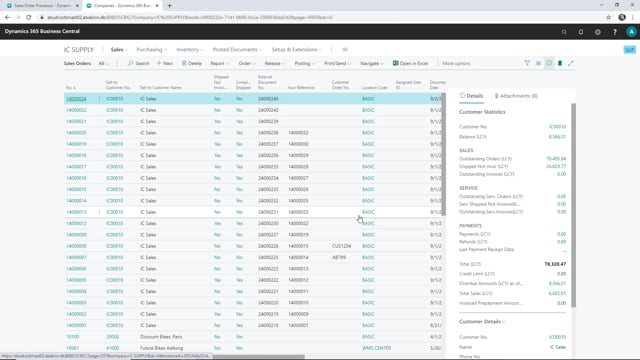
Next, go to the supply company and open the related sales order. After you refresh the page, you see an information message telling you that the order has been deleted in the other company. From there, you can delete the sales order in the supply company as well.
The benefit is that you do not have to remember or look up which order belongs to which on the other side. The message points you to exactly the order that needs to be cleaned up, so both companies stay aligned without manual cross-checking.
Q&A
What happens when you delete an intercompany purchase order in Business Central?
When you delete the purchase order in the buying company, the matching sales order in the supply company is flagged with an information message stating that the order has been deleted. You can then delete the sales order in the supply company as well.
Do you have to manually find the matching order in the supply company?
No. After you refresh the page in the supply company, an information message tells you the related order has been deleted, so you know exactly which sales order to remove.