
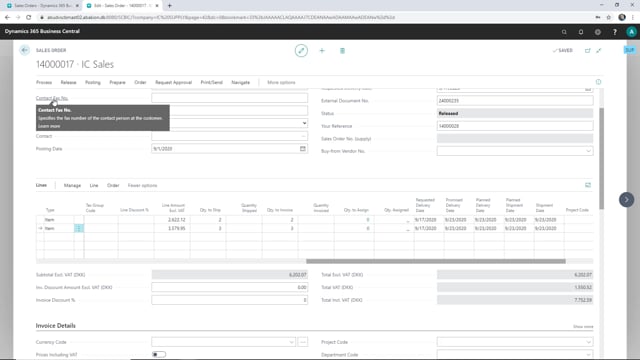


When you work with intercompany trade in Microsoft Dynamics 365 Business Central, you can send a confirmed shipment date and a promised delivery date from your supply company back to your sales company. When the supply company releases the order, the promised delivery date updates automatically on the sales line in the sales company. This keeps both companies aligned on when goods will actually reach the customer.
You can enter different promised delivery dates on individual sales lines if parts of the order ship on different days. The supply company can also ship goods directly to the end customer rather than routing them back through the sales company.
How the intercompany sales order flow works
When a sales order is created in the sales company and then released, Business Central automatically creates a matching sales order in the supply company. From there, the supply company takes over the handling of the order.
In the supply company you review the order lines, check when the goods can be delivered, and send back a confirmed shipment date to the sales company.
Shipping directly to the end customer
On the sales order in the supply company, some of the sales lines need to be sent directly to the customer rather than back to the sales company. The customer shown on the order is the sales company itself, but when you drill down on the shipping details, you can see that the goods should actually be sent to the end customer.
Sending the promised delivery date back to the sales company
To return a promised delivery date, follow these steps in the supply company:
- Reopen the order so the lines can be edited.
- Go to the sales lines and enter the promised delivery date.
- Enter two different dates if the lines ship on different days.
- Release the order again.
Once the order is released, the promised delivery dates are sent to the sales company and updated on the corresponding sales lines on the original sales order. Both companies now share the same delivery information.
Q&A
What happens when a sales order is released in the sales company?
Business Central automatically creates a matching sales order in the supply company. The supply company then handles the order, reviews the lines, and sends a confirmed shipment date back to the sales company.
How do you send a promised delivery date back to the sales company?
In the supply company, reopen the order, enter the promised delivery date on the sales lines, and release the order again. The dates are then sent to the sales company and updated on the original sales order.
Can you set different delivery dates for different lines on the same order?
Yes. You can enter two different promised delivery dates on the sales lines when the goods ship on different days.
Can the supply company ship goods directly to the end customer?
Yes. Even though the customer on the order is the sales company, you can drill down on the shipping details to see that the goods should be sent directly to the end customer.