


When you run an intercompany setup in Business Central, posting an intercompany invoice creates the matching document on the other side automatically. After you ship a sales order in your supply company and invoice it, Business Central generates a purchase invoice in your receiving company without manual re-entry.
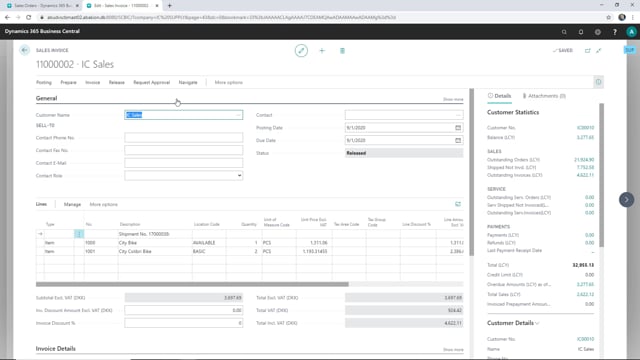
You start the process by creating a combined invoice from the shipped sales order. This collects the shipments into a single invoice that you can review and post.
When you post the sales invoice in the supply company, the system creates a purchase invoice in the partner company through the intercompany connection. You do not have to key the document twice.
Invoicing a shipped sales order in the supply company
Once a sales order has been shipped in the supply company, it is ready to be invoiced. On the sales order, the lines show that the order has been completely shipped, which means you can move on to creating the invoice.
To create the invoice, go to Process and choose Create Combined Invoice. Business Central then creates a combined invoice covering the shipments. Confirm the action, and the system asks whether you want to open the invoice. Choosing to open it lets you check the document before posting.
Posting the sales invoice
With the combined invoice open, you can see that it is ready to be posted. Post the invoice to complete the sale in the supply company. When the system asks whether you want to view the posted invoice, you can decline if you do not need to review it.
The purchase invoice is created automatically in the receiving company
After you post the sales invoice in the supply company, a purchase invoice is created in the receiving company. This is the intercompany connection at work: the document posted in one company flows through to the other so the receiving company has the matching purchase invoice ready, without anyone entering it manually.
Q&A
How do you invoice a shipped sales order in the supply company?
On the shipped sales order, go to Process and choose Create Combined Invoice. Business Central creates a combined invoice for the shipments, which you can then open and post.
What happens in the receiving company when you post the intercompany sales invoice?
When you post the sales invoice in the supply company, Business Central automatically creates a matching purchase invoice in the receiving company through the intercompany connection. You do not have to enter the document twice.
When is a sales order ready to be invoiced?
A sales order is ready to be invoiced once it has been shipped. The lines on the order show whether it has been completely shipped, and that is your signal to create the invoice.