
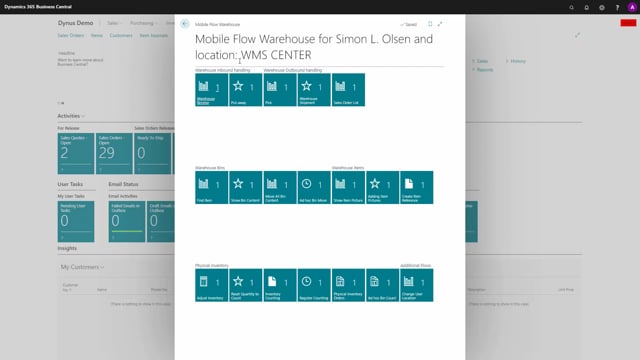


Warehouse Mobile gives you guided flows for inventory work, so every transaction follows the same uniform process regardless of who performs it. Instead of registering directly in Business Central, where fields can be filled out in many different ways or skipped entirely, the app prompts your warehouse users for all the important information in a fixed order.
The result is fewer errors, like a missing posting date, and higher accuracy in your inventory postings. You get a higher service level on inventory because the process looks the same across users, and across both the receiving and shipment side.
How guided flows work in Warehouse Mobile
When you open a purchase order, run an inventory put-away, or do a warehouse receive directly in Business Central, you have a lot of freedom. You can enter the fields in many different ways, and you can forget to update the posting date. That freedom creates inconsistency and mistakes.
Warehouse Mobile replaces this with a guided flow. The app asks you for all the important information in a fixed, uniform order, and the order adapts depending on the document you are working with. For example, when the flow reaches the posting date, you are prompted for it directly, so it is unlikely that you forget to fill it out.
Uniform processes across users and document types
Because the flow is guided, the process looks the same no matter which warehouse user is doing the work. It also stays consistent whether you are on the receiving side or the shipment side. This makes it easy to build controlled processes that behave the same way every time.
Higher accuracy and service level on inventory
By securing a uniform process, Warehouse Mobile raises the service level on your inventory and improves accuracy in your inventory postings and registrations. Fewer fields are skipped, fewer mistakes slip through, and your data stays reliable.
Q&A
What is the benefit of using guided flows in Warehouse Mobile?
Guided flows prompt warehouse users for all important information in a fixed, uniform order. This prevents skipped fields like the posting date and ensures the process is identical regardless of who performs it, which raises accuracy and service level on inventory.
How is Warehouse Mobile different from registering directly in Business Central?
When you register directly in Business Central, you can fill out fields in many different ways and forget required information such as the posting date. Warehouse Mobile guides you step by step and asks for each piece of information in a set order, so the process stays uniform and complete.
Which warehouse tasks does Warehouse Mobile support?
Warehouse Mobile supports tasks such as purchase orders, inventory put-away, and warehouse receive, and the guided flow adapts the order of prompts depending on the document you are working with.