
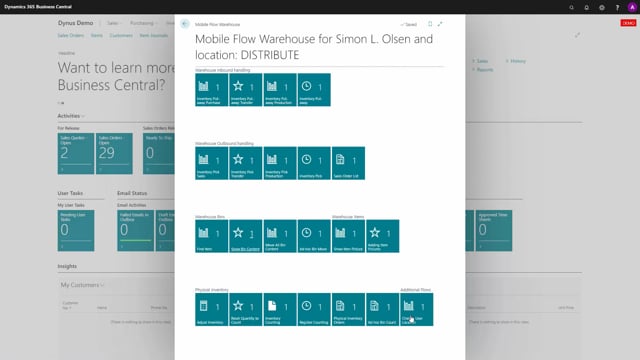


If you run a simple warehouse setup in Business Central, you don’t need bins, warehouse documents, or advanced configuration to use the Warehouse Mobile app. A basic location with no warehouse setup still supports receiving directly on purchase orders, shipping from sales orders, and showing item pictures on a mobile device.
You can switch to a basic location as a user in the Warehouse Mobile app, even when that location has no bins or warehouse documents enabled.
A basic location gives small companies a working mobile flow for putting away, receiving, and selling items without setting up full warehouse management.
What a basic location is in Business Central
A location with no warehouse setup at all is what we call a very simple location, or a basic location. If you look at the location list in Business Central and find a location marked as basic, it has no checkmark for warehouse documents, bins, or anything similar. It’s just a standard, non-warehouse location.
This kind of location doesn’t use bins or any of the more advanced warehouse functionality. It works as a plain place to store and move items.
Using the Warehouse Mobile app on a basic location
Even though a basic location has no warehouse documents or bins, you might still want to use the Warehouse Mobile app on it. And you can. As a user, you can simply switch to that location in the app.
From there you still get useful functionality:
- Receive directly on purchase orders
- Ship from sales orders
- Show item pictures
This makes for a solid flow-based experience if you’re a simple company that mainly puts away items, receives items, or sells items. You get the convenience of a mobile workflow without taking on the overhead of full warehouse management.
Q&A
What is a basic location in Business Central?
A basic location is a standard, non-warehouse location with no checkmark for warehouse documents or bins. It’s a plain place to store and move items without any advanced warehouse functionality.
Can you use the Warehouse Mobile app on a location without bins?
Yes. You can switch to a basic location in the Warehouse Mobile app even though it has no bins or warehouse documents. You can still receive on purchase orders, ship from sales orders, and view item pictures.
What functionality does the Warehouse Mobile app offer on a basic location?
On a basic location you can receive directly on purchase orders, ship from sales orders, and show item pictures, giving simple companies a working mobile flow without full warehouse setup.