
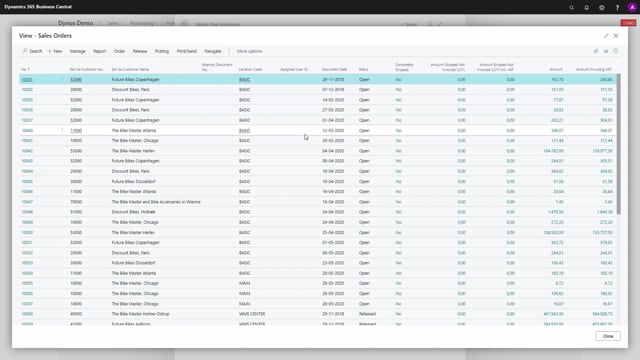


The warehouse mobile app includes a simple feature called sales order lists. It gives warehouse staff a quick way to see open sales orders directly on the scanner, without having to log into the full system or ask someone else to look it up.
What the sales order list shows in the warehouse mobile app
The sales order list does exactly what the name suggests. It shows the open sales orders that are ready to be handled. For each order you can see which sales order you are going to ship and on which location code.
This gives the user a straightforward overview on the scanner. You can see at a glance how many sales orders you have to work with.
Finding a specific sales order on the scanner
The list also works as a basic navigation tool. If a colleague asks you to send a sales order to BikeMaster in Vienna, you can find the customer description in the list and use it to locate the right sales order number.
The sales order list is a simple navigation tool for the warehouse user. It is not meant to do anything complicated. It just helps you find and overview the open sales orders quickly while you are out in the warehouse.
Q&A
What is the sales order list in the warehouse mobile app?
It is a simple action that shows the list of open sales orders. For each order you can see which sales order you are going to ship and on which location code.
How do I find a specific sales order on the scanner?
You can search the list using the customer description, for example a customer name and location, and then read off the matching sales order number.
What is the sales order list used for?
It works as a simple navigation tool for warehouse users, giving a quick overview of how many open sales orders there are and helping you locate a specific order.