


If you use framework agreements with your customers on the sales side, Business Central gives you a couple of different ways to handle them. The right choice depends on whether you have actual signed agreements with fixed quantities, or whether you simply want to feed expected demand into your planning. You can use a blanket sales order or a demand forecast, but you should not use both for the same demand, because that creates a double impact on your MRP planning.
A blanket sales order is the better choice when you have real agreements with your customers. It stores the agreed items, quantities and an end date, and it lets you withdraw on the order over time as you create the actual sales orders. A demand forecast is the alternative when blanket orders get too complicated, or when you only want to register expected demand without tying it to a formal agreement in the system.
You can store the signed agreement document directly on the customer card in Business Central by using the attachment functionality, for example as a PDF.
Storing the framework agreement on the customer card
The first thing you may want to do is keep a copy of the signed agreement itself. If you do not store it in a separate file system, you can save it directly on the customer.
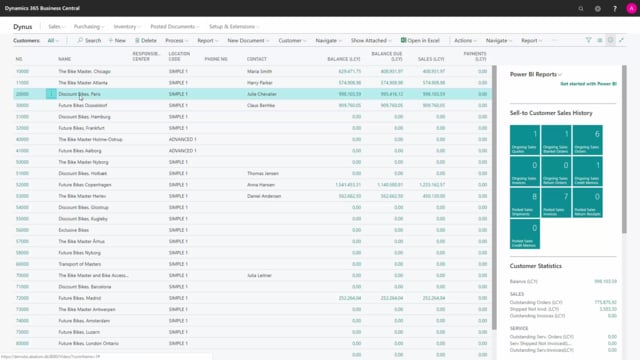
Open the customer card and use the attachment functionality. From there you can attach the agreement document, for example a PDF file, and open it whenever you need to. You can give it a date or any other reference. Over time this lets you see all the agreements you have had with that customer. This is purely for information purposes and has no effect on planning.
Using a blanket sales order to create demand
Once the agreement is stored, you need to decide how the demand should enter the system. The first option is a blanket sales order.
A blanket sales order in Business Central works like a sales order with different items, different quantities and a shipment or expiration date. You set up the agreement with an end date, which is the ultimo date of the framework agreement.
When you run MRP planning, the agreed quantity goes into the plan on that end date. As you withdraw on the order and create actual sales orders from the blanket order, the outstanding quantity is reduced. The withdrawn quantity is then planned at the correct times from the sales orders, while the remaining quantity stays on the blanket order. This way the blanket sales order feeds into your demand planning, but with the end date controlling when the remaining demand falls due.
The advantage is control. You have the blanket order in one place, you can see everything you have withdrawn for the customer, and it is easy to create sales orders directly from it. If your customer has actual agreements, the blanket sales order is the best choice when it is practical to use.
Using a demand forecast instead of a blanket order
The second option is the demand forecast, which is the traditional production forecast in Business Central. This is useful if you do not want to use blanket orders, if they get too complicated, if it is not really a formal agreement, or if you want to combine it with your general demand forecast.
In the demand forecast you can enter sales demand and component demand. You set up whether an item is a sales item, a component item, or both, and then enter the demand. This creates the demand in the system, but it does not represent a framework agreement the way a blanket order does. You handle the agreement itself somewhere else and use the forecast only to drive the planning.
Why you should not use both methods for the same demand
You choose one method or the other. If you decide to use both a blanket sales order and a demand forecast for the same demand, be aware that they create a double impact on your MRP planning, which makes your demand planning wrong.
If you genuinely need both, you have to separate them so they do not overlap. One approach is to place the blanket order on a separate location that you do not plan on. You will need to work out the right setup for your own situation.
Q&A
How do I store a signed framework agreement in Business Central?
Open the customer card and use the attachment functionality to attach the agreement, for example as a PDF file. You can give it a date and open it later, which lets you see all the agreements you have had with that customer over time. This is for information purposes only and does not affect planning.
What is the difference between a blanket sales order and a demand forecast for framework agreements?
A blanket sales order stores the agreed items, quantities and an end date, and you withdraw on it as you create actual sales orders. It gives you full control and visibility of what has been withdrawn. A demand forecast simply registers expected sales or component demand without representing a formal agreement in the system. Use the blanket sales order when you have actual agreements, and the demand forecast when blanket orders are too complicated or when you only want to feed demand into planning.
How does a blanket sales order affect MRP planning?
When you run MRP planning, the agreed quantity goes into the plan on the blanket order’s end date. As you create sales orders from the blanket order, the outstanding quantity is reduced and the withdrawn quantity is planned at the correct times, while the remaining quantity stays on the blanket order.
Can I use both a blanket sales order and a demand forecast at the same time?
Not for the same demand. Using both creates a double impact on your MRP planning and makes your demand planning wrong. If you need both, separate them, for example by placing the blanket order on a location that you do not plan on.