
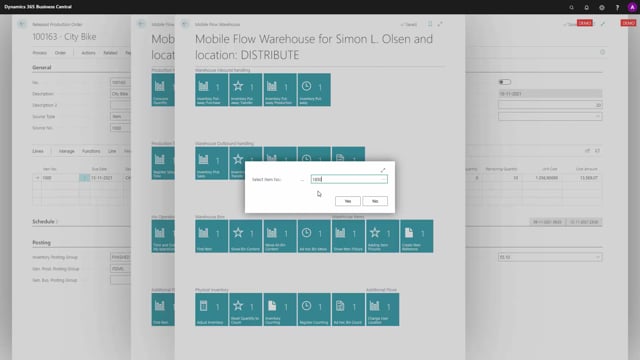


The Consume All on Bin function in the shop floor module lets you register material consumption on a production order in one action instead of tracking each component individually during production. You assign one dedicated bin to a production order, let the warehouse move materials into that bin, produce freely without registering anything, and then consume the entire bin content in a single step when you finish.
The principle is that the bin reflects actual consumption. Warehouse staff fill the bin with materials and remove whatever is left over when production ends. What remains on the bin equals what you actually used. When you run Consume All on Bin, that exact quantity is posted as consumption on the production order.
Each production order needs its own separate bin code. The function consumes everything on the assigned bin, so you cannot share a bin between multiple production orders.
How to set up the production order and bin
Start by creating a production order on an item. On the production order header, you enter an output bin where the finished goods go. On the production order line, you select the specific bin to work with for the components. In this example, the component bin is 55.07.
At this point the remaining quantity has nothing picked yet, and there are no item ledger entries. The bin allocated for the production order is empty.
Moving materials into the production bin
The next step is to get the warehouse to move materials onto the production bin. You print a picking list or instruct warehouse staff to start rolling materials in for the production order. The warehouse employees use the warehouse mobile or whatever scanner functionality they have to move items from back-end inventory onto the shop floor.
In the warehouse mobile, you make a bin move and move items from wherever they are located. A warehouse worker drives around picking items for the production order, for example five of one item. You can pick many times and keep driving in goods for the same production order, for instance another eight of a second item.
This way the warehouse can move large quantities into the bin across many separate moves. If the materials are pallets, the worker can move in two pallets, and when those are used up, move in new pallets, building up the bin content over time. When you check the bin content afterwards, you can see the five and the eight that were moved in.
Producing without registering consumption
While production runs, you simply produce in real life without registering anything in the system. There is no need to record each component as you use it.
When you finish producing, you call the warehouse and tell them they can take back whatever is left on the bin. The warehouse worker uses the warehouse mobile to empty the remaining quantity from the bin and put it back into inventory.
For example, if one of each item is left on the bin, the warehouse worker selects the bin and moves the remaining quantity back to stock. After this, the bin content reflects what you actually used during production, because the warehouse put materials in and then removed the leftovers.
Running Consume All on Bin
Once everyone is done and the warehouse confirms the leftovers have been moved back, you go back to the shop floor and select Consume All on Bin from the production order. You confirm the production order and the bin code. In practice you typically do this at the end of the last production day.
The system asks whether you want to consume everything on that bin. When you confirm, it posts the entire bin content as consumption. Afterwards the bin content is empty, and the production order shows the components as consumed.
Why this approach works for production staff
This setup makes it easy for production staff to focus on producing while the consumption registration happens later in one step. The only requirement is that you allocate one bin code per production order. Each production order needs its own separate bin code so the consumption is posted against the correct order.
Q&A
What does Consume All on Bin do?
It posts the entire content of a bin as consumption on a production order in a single action, instead of registering each component individually during production.
Do I need a separate bin for each production order?
Yes. Each production order needs its own separate bin code, because the function consumes everything on the allocated bin. You cannot share a bin between multiple production orders.
How does the bin end up reflecting actual consumption?
Warehouse staff move materials into the bin before and during production. When production finishes, they remove whatever is left over and put it back into inventory. What remains on the bin equals what you actually used.
Do production staff need to register consumption while producing?
No. They produce in real life without registering anything. The consumption is posted later in one step using Consume All on Bin.
What happens to the bin after running Consume All on Bin?
The bin content becomes empty because everything on it has been consumed, and the production order shows the components as consumed.