
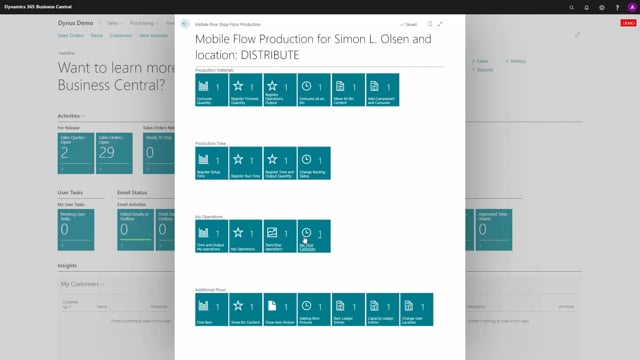


My Time Collectors is a tool in Microsoft Dynamics 365 Business Central for registering production time. You start and stop time measurements while you work, and the tool gathers all the entries so you can post them later. This separates the act of recording time from the act of posting it.
You can run more than one time collector at once, depending on your setup. Each running collector shows which production order operation it is tied to, and the tool calculates the elapsed time from the start time on the line. Refresh the page with F5 to update the pending time.
My Time Collectors gathers information from the shop floor as well as from job journals, time and attendance, and other time stamping. It works as an entry tool that collects start and stop information and the time between those events. You can then process and post the collected time as actual time registrations.
How My Time Collectors works in Business Central
The core idea behind My Time Collectors is the ability to start and stop time measuring, and then post it afterwards once you have gathered enough information. When you open the My Time Collectors action, you see all the time collectors you have been working on. Stopped collectors are still shown in the list, so you can keep them for reference or delete them if you no longer need them.
The list shows which collectors are currently running. For example, you might see that you are running on a specific production order operation, such as operation number 15. There is also a column you can add to show whether the time is set up time, run time, or another type.
When you refresh the page by pressing F5, the tool updates the pending time. It calculates the elapsed time based on the start time stored on the line. When you stop a collector, the line stops as well.
Starting and stopping time directly in My Time Collectors
You can start and stop time directly from within My Time Collectors. Select one of the operation lines and use the action to start or stop that specific operation. This works, but it is not the usual way to register time. My Time Collectors is mainly an overview and processing tool rather than your everyday entry point.
The day-to-day entries normally come from elsewhere. My Time Collectors then acts as the place where all start and stop operations are gathered. Each entry records the start and stop and the time between them, and the collected information builds up until you are ready to post it.
Creating entries manually and collecting time
You can create an entry manually from the action menu inside My Time Collectors, the same way you would create one from the menu. You can also start and stop entries from here. Once you have gathered up a lot of information, you collect it and post or export the time, which produces the actual time registrations.
As a practical example, after pressing F5 you might see that you have been working three minutes on an operation. The pending time keeps updating as you work, giving you a live view of how much time has accumulated on each running collector before you post it.
Q&A
What is My Time Collectors used for in Business Central?
My Time Collectors lets you start and stop time measurements while you work, gather all the entries in one place, and post them later as actual time registrations. It collects information from the shop floor, job journals, time and attendance, and other time stamping.
Can you run more than one time collector at the same time?
Yes. You can have more than one collector running at once, depending on your setup. Each one shows which production order operation it is tied to.
How do you see the elapsed time on a running collector?
Refresh the page by pressing F5. The tool updates the pending time by calculating from the start time stored on the line.
Can you start and stop time directly in My Time Collectors?
Yes. Select an operation line and use the action to start or stop it. It is possible, but it is not the usual way to register time, since My Time Collectors is mainly an overview and processing tool.
Can you create time entries manually?
Yes. You can create an entry manually from the action menu inside My Time Collectors, the same way you would create one from the menu, and you can start and stop it from there.