


The Shipping Advice field controls whether Business Central allows partial shipments on a sales order. Set it to Partial to permit shipping whatever quantity is available, or set it to Complete to require that the entire order ship in one go.
You set Shipping Advice on the customer card, and it transfers automatically to the Shipping section of any sales order for that customer. You can override the value on the individual sales order.
When Shipping Advice is set to Complete, Business Central checks all sales order lines and blocks the creation of a warehouse shipment if any item lacks available inventory. You get an error message instead of an incomplete shipment.
When Shipping Advice is set to Partial, Business Central creates the warehouse shipment even if the items are not in stock. The warehouse pick then comes back with no bin codes because there is nothing to pick.
Where the Shipping Advice field lives and how it transfers
The Shipping Advice field can be set up on the customer card. From there, it transfers to the sales order in the shipping section. The field has two options: Partial and Complete. You are free to change the value on a specific sales order if a particular order needs to be handled differently from the customer’s default.
How Partial shipping advice behaves
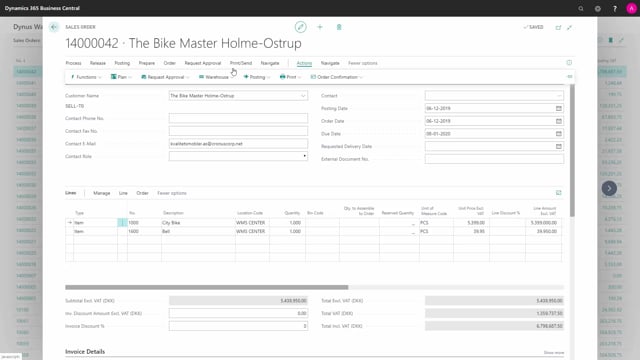
With Shipping Advice set to Partial, the order allows you to ship whatever is available. In the example, the sales order has two lines on a warehouse location, and the quantities are large enough that they are clearly not all on inventory.
After releasing the sales order and creating a warehouse shipment, the shipment is created successfully, even though full fulfilment is not actually possible. The catch shows up at the next step. If you try to create a warehouse pick, it ends up with no bin codes, because there is nothing available to pick.
How Complete shipping advice behaves
To switch the setting, reopen the sales order and change the Shipping Advice to Complete. This means you can only ship the order in full. No partial shipment is allowed.
When you then release the sales order and try to create a warehouse shipment, Business Central runs through all the sales order lines and checks whether each item is available on inventory to pick and ship. If there is no available inventory, you get an error message and the warehouse shipment is not created.
Why Complete shipping advice is useful
With Complete shipping advice, you make sure the sales order can only be released into a warehouse shipment when it is actually shippable. The result is that every warehouse shipment created for orders with Complete shipping advice will be a complete shipment, with no half-finished orders sitting in the warehouse waiting for stock that is not there.
Q&A
What does the Shipping Advice field do in Business Central?
It controls whether a sales order can be shipped partially or only in full. Partial allows shipping whatever quantity is available, while Complete requires the entire order to ship at once.
Where do you set Shipping Advice?
You set it on the customer card, and it transfers automatically to the shipping section of the sales order. You can override it on the individual sales order.
What happens if you create a warehouse shipment with Partial shipping advice and no stock?
Business Central still creates the warehouse shipment, but the warehouse pick comes back with no bin codes because there is nothing available to pick.
What happens if you create a warehouse shipment with Complete shipping advice and no stock?
Business Central checks all sales order lines for available inventory. If an item is not available, you get an error message and the warehouse shipment is not created.