
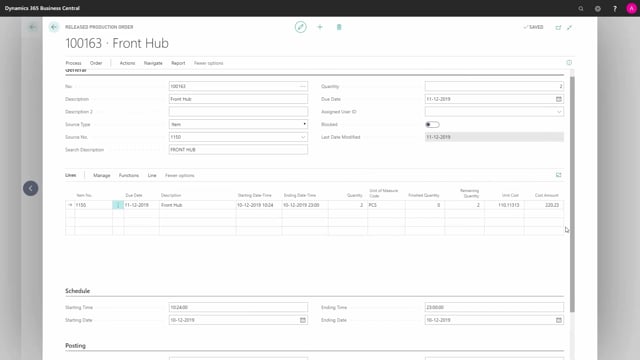


If you run production orders on a location that is not set up for directed put-away and pick, you can still create inventory put-aways that are linked directly to the production order. This works both for simple locations that only require bins or put-away and pick, and for advanced locations that have all the warehouse checkmarks except the directed put-away and pick.
You do this by opening the inventory put-away document, selecting the production order, entering the quantity to handle, and posting. The posting creates an output entry on the production order, which you can verify in the item ledger entries.
This means you can handle production output with the inventory put-away document on an advanced location, without having to use a full warehouse put-away document.
Inventory put-away works on production orders without directed put-away and pick
Inventory put-aways are normally something you associate with simple warehouse locations. But the functionality also covers production orders on locations that are not set up for directed put-away and pick.
This applies to two types of locations:
- Simple locations that only require bins, or that require put-away and pick.
- Advanced locations with all the warehouse checkmarks set, except for the directed put-away and pick checkmark.
So even if your main location is a full advanced location, as long as the directed put-away and pick checkmark is not set, you can create an inbound warehouse request directly from the production order.
How to create an inventory put-away from a production order
The process is straightforward once you know it is available:
- Open the inventory put-away document. This is the document that normally only applies to simple locations.
- Create a new put-away on the location.
- Select the production order. This creates the inventory put-away tied to that order.
You now have a document ready for the inventory put-away on your production order.
Posting the inventory put-away creates a production output
On the document, enter the quantity to handle and post it directly from here. When you go back to the production order and look at the item ledger entries, you will see that the posting created an output entry, registered with the inventory put-away document.
This is a scenario where the inventory put-away document applies to a location that could be an advanced location, but where you do not use a warehouse put-away document to handle the production output.
Q&A
Can you use inventory put-away on an advanced warehouse location?
Yes, as long as the location does not have the directed put-away and pick checkmark set. You can use inventory put-away on advanced locations that have all the other warehouse checkmarks, and on simple locations.
How do you handle production output without a warehouse put-away document?
Open the inventory put-away document, create a new put-away on the location, select the production order, enter the quantity to handle, and post. This handles the output without needing a full warehouse put-away document.
How do you confirm that the inventory put-away posted the production output?
Go back to the production order and navigate to the item ledger entries. You will see an output entry created with the inventory put-away document.