
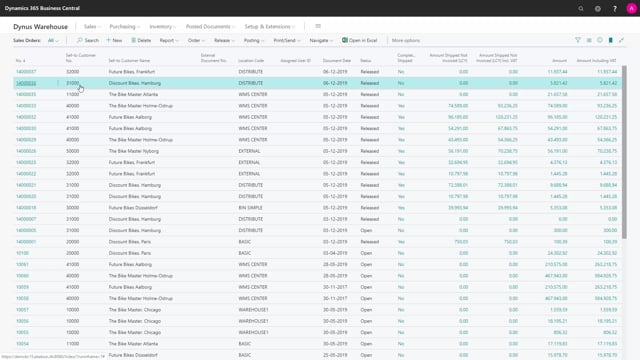


Inventory picks in Microsoft Dynamics 365 Business Central let you pick items directly to a source document, such as a sales order. You use inventory picks when the location has “Require Pick” enabled but “Require Shipment” disabled. If you enable both, you use warehouse picks instead.
Having inventory picks enabled on a location does not force you to create one. You can still post a sales order shipment directly from the order, adjusting quantities and bin codes by hand.
An inventory pick document contains bin codes, items, and quantities, but no pricing information. This makes it a practical picking list for your warehouse staff. You can print a pick summary, change bins during picking, and post the document to create item ledger entries and the sales order shipment.
What an inventory pick is and when you use it
An inventory pick is a document you use for picking directly to a source document. Whether you use it depends on your location setup.
On a location, you control this with two checkmarks. If you mark Require Pick but leave Require Shipment unchecked, the location uses inventory picks. If you check both Require Pick and Require Shipment, you no longer use inventory picks. You use warehouse picks instead.
Because the inventory pick relates directly to the sales order, the workflow stays simple compared to the full warehouse setup.
Posting directly from the sales order without creating a pick
When you only use inventory picks, you can post directly on the sales order without creating an inventory pick at all. Even on a sales order that has not been released, you can change the quantity manually on the line.
You can also drill down into the bin code directly on the order and change it if you are picking from bins other than the ones suggested. You decide where to pick from, and you can post the sales order on this location without ever generating a separate pick document.
So the setup that enables inventory picks does not mean you are obligated to create one. It is one option, not a requirement.
Creating and posting an inventory pick from a sales order
If you do want to create an inventory pick from a sales order, the order needs to be released first. Once you create the pick, Business Central generates a document for your warehouse employees to use while moving around the warehouse.
The pick document contains only quantities and bins. It carries no pricing information, so it is purely a picking list showing which item to pick, in which quantity, and from which bin.
On the pick document itself, you can change the bin if you end up picking from somewhere else. You can also print the pick document summary to get a physical paper list for the warehouse.
Registering quantities and posting the shipment
If you do not use terminal scanners or handheld devices, you can enter the quantity to handle directly on the pick lines. If the picked quantity matches what is expected, you can use the autofill quantity to handle function to fill it in automatically.
The inventory pick tells you where to go and which quantities to fetch. When you post it, Business Central posts the item ledger entries and the sales order shipment.
Q&A
When do you use inventory picks instead of warehouse picks in Business Central?
You use inventory picks when the location has Require Pick enabled and Require Shipment disabled. If you enable both Require Pick and Require Shipment, you use warehouse picks instead.
Do you have to create an inventory pick if the location requires picking?
No. Even with inventory picks enabled, you can post the sales order shipment directly from the order. You can adjust quantities and bin codes on the order lines without creating a separate pick document.
Does an inventory pick document show pricing?
No. The inventory pick contains only items, quantities, and bin codes. It has no pricing information, which makes it a clean picking list for warehouse staff.
Does the sales order need to be released before creating an inventory pick?
Yes. To create an inventory pick from a sales order, the order must be released first.
What happens when you post an inventory pick?
Posting the inventory pick creates the item ledger entries and posts the sales order shipment.
Can you change the bin while picking?
Yes. You can change the bin on the pick document if you pick from a different bin than the one suggested. You can also enter the quantity to handle manually or use the autofill quantity to handle function.