
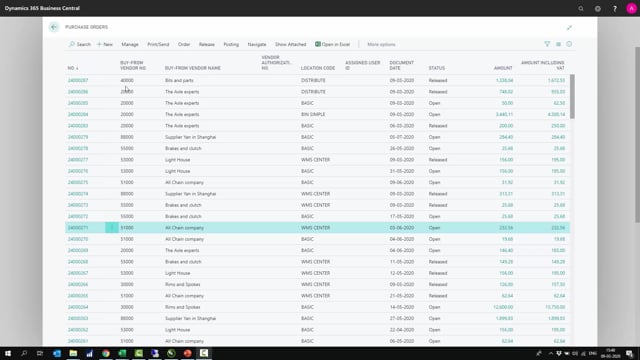


When you work with inbound warehouse handling in Business Central, you can create a warehouse receipt in two ways: with a push strategy or a pull strategy. The push strategy starts from the source document, where the purchaser releases a purchase order and creates one warehouse receipt for that specific document. The pull strategy starts from the warehouse, where the warehouse employee opens a warehouse receipt and pulls in lines from several source documents at once.
Use the push strategy when you want one receipt per source document and the purchaser drives the process. Use the pull strategy when you want to bundle several source documents, such as purchase orders, transfer orders, and sales return orders, into a single receipt document handled from the warehouse perspective.
You release the purchase order before either strategy can work. The release step determines when the order is ready for warehouse handling, and the purchaser is normally the one who decides this.
Push strategy: creating a warehouse receipt from the source document
With a push strategy, you start from the source document itself. Take a purchase order as an example. Before you do anything, the quantity received is not filled in and the document is open. If you navigate to the warehouse receipt lines, there are none yet, so nothing is prepared.
The first step is to release the purchase order. Someone needs to do this anyway, and that is normally the purchaser. The purchaser decides when the order can be released and is ready for warehouse handling.
Once the order is released, you go to Actions, then Warehouse, then Create Warehouse Receipt. Business Central creates one warehouse receipt for that purchase document. The receipt is then ready to be handled and posted for that specific order.
The push strategy is not limited to purchase orders. It also works from a transfer order or a sales return order, since both are source documents for the inbound warehouse.
Pull strategy: creating a warehouse receipt from the warehouse
With a pull strategy, you work the other way around. You go directly to the warehouse receipt and create a new one from there. Instead of pushing the lines from a single source document, you pull them in.
You have two ways to bring lines into the receipt. You can use Get Source Documents and select exactly which documents you want to import, or you can use the filter functionality to pull in source documents that match your criteria. The filter option is useful when you want to add many lines at once.
This lets you bundle different document types into one receipt. You can combine sales return orders, transfer orders, purchase orders, and others into a single receipt document.
Choosing between push and pull strategy
The two strategies differ mainly in who is responsible for creating the warehouse receipt. With the push strategy, the purchaser creates one receipt per source document. With the pull strategy, the warehouse employee creates the receipt and decides which source documents to combine.
Choose the pull strategy when you want to create a receipt covering several source documents instead of just one, and when you want the warehouse to drive the process rather than the order. Choose the push strategy when one receipt per document fits your process and the purchaser handles the creation.
Q&A
What is the difference between a push strategy and a pull strategy for warehouse receipts?
With a push strategy, you create the warehouse receipt from a single source document, which produces one receipt for that document. With a pull strategy, you start from the warehouse receipt and pull in lines from several source documents, so you can combine them into one receipt.
When should you use the pull strategy?
Use the pull strategy when you want to create a receipt covering several source documents instead of only one, and when you want the warehouse to handle the process rather than the order.
Who creates the warehouse receipt?
It depends on the strategy. With the push strategy, the purchaser releases the order and creates the receipt. With the pull strategy, the warehouse employee creates the receipt and selects the source documents.
Which source documents can you use for an inbound warehouse receipt?
You can use purchase orders, transfer orders, and sales return orders. All three are source documents for the inbound warehouse.
How do you bring source documents into a receipt with the pull strategy?
You can use Get Source Documents to select exactly which documents to import, or you can use the filter functionality to pull in documents that match your criteria. The filter option is useful for adding many lines at once.
What do you need to do before creating a warehouse receipt with the push strategy?
You need to release the purchase order first. The release determines when the order is ready for warehouse handling, and the purchaser normally decides this. After release, you go to Actions, then Warehouse, then Create Warehouse Receipt.